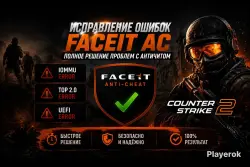
FIXING ERRORS IOMMU TPM 2.0 UEFI FACEIT AUTOMATIC DELIVERY
Important notice
Any third-party trademarks, brand names, and product names referenced on this website are used solely to identify the relevant goods/services and, where applicable, to indicate intended purpose or compatibility. No affiliation, authorization, sponsorship, or endorsement by the trademark owners is implied unless expressly stated.
If you're tired of constant errors that prevent you from playing CS2 on Facite, I can help you solve the following problems:
❌Your PC requires the following settings to be enabled in order to log in: IOMMU
❌Error: Virtualization-based Security is enabled. Please enable TPM 2.0 and UEFI to continue
❌Forbidden driver
❌Error 126
❌Error 100
❌Error 115
❌Error 23
❌Error 79 and Error 78 (Memory Corruption Detected)
❌You need to enable DEP…” or “You need to enable the NX/Execute Disable
bit…”
❌You need to disable testsigning to launch FACEIT AC
❌Warning: hypervisorlaunchtype is off
✅ This guide describes everything in detail. Use it and leave feedback.
✅AUTOMATIC DELIVERY
 Top up
 Games
Games Discounts 90%
 AI
AI Windows
 Subsctiptions
 New Games
 Mobile Games