
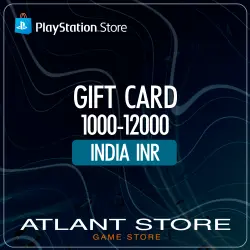
PlayStation (PSN) Gift Card 1000-10000 INR ₹ (India)
Important notice
Any third-party trademarks, brand names, and product names referenced on this website are used solely to identify the relevant goods/services and, where applicable, to indicate intended purpose or compatibility. No affiliation, authorization, sponsorship, or endorsement by the trademark owners is implied unless expressly stated.
About the product
📦 Instant delivery of a digital PlayStation Network top-up card activation key for the selected Indian rupee denomination. No commission when paying with MIR/Visa/Mastercard and SBP credit cards.
🔑The key will be sent to the email address you provided and will also be displayed in your browser window after successful payment.
🔒The license key is only available for activation on PlayStation Network accounts in the Indian region and in the Indian rupee (₹) currency!
🔸Card information:
This card tops up your Indian PlayStation Network (PlayStation Store) account. Once your balance is credited, you can purchase everything from PlayStation Store: from indie games to AAA titles, add-ons, in-game credits, season passes, movies, and much more—available on your PlayStation console, computer, or mobile device.
How do I play games purchased from the Indian PlayStation Store on a Russian account?
Purchase the game you want from the Indian PlayStation Store (purchasing from the console is recommended) and begin the download.
After the game download begins on your Indian account, you can switch to your Russian account without affecting the download progress.
Once the download is complete, you can launch the game on your Russian account. This account must be set as the primary account on the console.
Connecting the account to the PlayStation 4 console:
Press and hold the PS button to open the quick menu.
Select: "Power" > "Switch User" > "New User."
Log in to the previously created Indian account.
You can now play games from your Indian account on your Russian account if you set the Indian account as the primary account.
How do I make my account the primary account on my PlayStation 4 console?
Select "Settings" > "Account Management" > "Activate as Primary PlayStation 4."
Next, click "Activate."
To connect your account to your PlayStation 5 console:
Select your profile photo on the home screen.
Select "Change User" > "Add User" > "Get Started."
Log in to the account you created earlier.
You can now play games from your Indian account on your Russian account if you enable Account Sharing for your accounts.
How do I enable Account Sharing for my PlayStation 5 console?
Select "Settings" > "Users & Accounts" > "Other" > "Console Sharing & Offline Play."
Next, click "Activate."
Digital license activation keys (products, digital keys) are distributed digitally. All digital keys are purchased from official distributors (suppliers). All compromised and activated digital keys are not subject to return and/or exchange in accordance with legal provisions, which stipulate that consumers have no right to refuse a product of proper quality with unique properties if said product can only be used by the consumer purchasing it. Activating a digital key may require registration on the copyright holder's platform and acceptance of the copyright holder's end user (purchaser) license agreement. Technical issues with the game and/or software (either for the game or separately from the game) or changes to the user (license) agreement by the developer and/or publisher of the game and/or software are not grounds for a refund. By purchasing this product, you agree that you have fully read the product description, the list of regions in which the digital key is subject to activation, the game or software itself, and the platform on which the key must be activated prior to purchasing the product. Keys have no expiration date until activated.

 Top up
 Games
Games Discounts 90%
 AI
AI Mobile Games
 Game Pass
 New Games
 Nintendo