
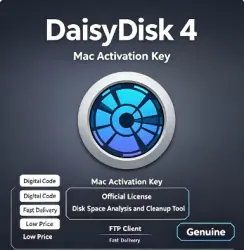
DaisyDisk 4 Mac Activation Key | Official License | Disk Space Analysis and Cleanup
Important notice
Any third-party trademarks, brand names, and product names referenced on this website are used solely to identify the relevant goods/services and, where applicable, to indicate intended purpose or compatibility. No affiliation, authorization, sponsorship, or endorsement by the trademark owners is implied unless expressly stated.
About the product
Product Description — DaisyDisk 4 for Mac | Official Activation Key
🌟 You will receive:
Get a genuine DaisyDisk 4 activation key — an official license to unlock the full version of this acclaimed Mac disk space analysis and cleanup tool. DaisyDisk provides interactive visualizations of disk usage, helping you identify and delete large, unnecessary files with simple drag-and-drop operations.
Feature Details
Product: DaisyDisk 4 Activation Key
License Type: Lifetime (One-time Purchase)
Platform: macOS Only (Intel and Apple Silicon)
Device: 1 Mac or 3 Macs (select at checkout)
Updates: Includes free updates for the current version
System Requirements: macOS 10.13 or later
Key Format: The license key is a 25-character alphanumeric code in the format XXXXX-XXXXX-XXXXX-XXXXX-XXXXX.
✅ Why Choose DaisyDisk 4?
Official Activation Key — Genuine license from Software Ambience Corp., not a cracked or patched version
Up to 20x Faster Scanning — Significantly faster scanning speeds compared to DaisyDisk 3; scans complete in seconds.
Apple Silicon Compatible — Runs natively on M1 to M5 Macs.
Free Updates — All updates for DaisyDisk 4.x are included at no extra cost.
🚀 Features of DaisyDisk 4
DaisyDisk is a powerful disk space analysis tool that helps you visualize and free up storage space on your Mac.
Key Features:
📊 Interactive Visual Map — View your disk usage in a vibrant, interactive sunburst map; easily find your largest files and folders.
⚡ Unparalleled Scanning Speed — Scan your entire startup disk in seconds (typically 3-6 seconds on SSDs; depending on your disk and CPU model).
👀 QuickLook Integration — Preview file contents before deciding whether to delete.
🔄 Parallel Scanning — Scan multiple disks simultaneously at top speed.
📁 External and Network Storage — Supports all types of internal and external hard drives, memory cards, and network storage.
☁️ Cloud Storage Support — Scan Dropbox, Google Drive, OneDrive, and Box Drive.
🗑️ In-App Deletion — Delete files directly from the app without opening Finder.
📈 Real-Time Updates — View disk information updated in real-time.
🖥️ Retina Display Support — Fully optimized for high-resolution displays.
🔧 How to Activate
Method 1 — Single Device License (Invitation Link):
Obtain an invitation link from the seller.
Click the link → Download and install DaisyDisk.
The license will activate automatically.
Method 2-3 Device License (Email Binding):
Open DaisyDisk → Click the menu “DaisyDisk” → “Register”.
Enter the license key you received (format: XXXXX-XXXXX-XXXXX-XXXXX-XXXXX).
Bind it to your email address for confirmation.
Click “Unlock” — Activation complete.
Note: If the activation code fails, please check for extra spaces. If copying and pasting results in a formatting error, please enter the code manually.
⚠️ Important Notes — Please read before purchasing
Licensing Rules:
✅ Lifetime License — Perpetual use, one-time payment
✅ Single Device License — Hardware-bound, cannot be transferred to other Macs
✅ Three-Device License — Bound to your email address, more flexible
❌ Non-Refundable — Once the activation key is issued, it is non-refundable.
System Requirements:
✅ macOS 10.13 (High Sierra) or later
✅ For Intel and Apple Silicon Macs
❌ Mac Only — Not applicable to Windows or Linux
Important Notes:
❌ Do not share your license key — Please keep it safe
📧 If you have not received your key, please check your spam folder or contact customer service with purchase details.
📋 Before purchasing — Check the list
□ My Mac runs macOS 10.13 or later
□ I know which type of license I need: a single device license or a three-device license
□ I understand that a single device license cannot be transferred to other Macs Mac
□ I understand this is a digital activation code – no refunds after shipment.
□ I will carefully enter the activation code to avoid formatting errors.
🛡️ Customer Support
💬 If you encounter any problems during the activation process, please contact us via order chat. Please have your order number and activation code ready.
 Top up
 Games
Games Discounts 90%
 AI
AI Windows
 Subsctiptions
 New Games
 Mobile Games