
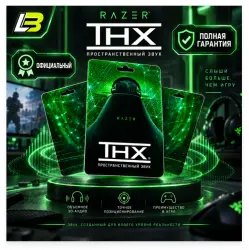
Razer THX Spatial Audio Activation Key
Important notice
Any third-party trademarks, brand names, and product names referenced on this website are used solely to identify the relevant goods/services and, where applicable, to indicate intended purpose or compatibility. No affiliation, authorization, sponsorship, or endorsement by the trademark owners is implied unless expressly stated.
🎧 RAZER THX SPATIAL AUDIO | DIGITAL ACTIVATION KEY
━━━━━━━━━━━━━━━━━━━━
🔊 UPGRADE YOUR AUDIO EXPERIENCE
Experience immersive 3D sound with Razer THX Spatial Audio, designed to improve audio positioning and clarity across gaming, entertainment, and everyday listening.
🎮 Hear every movement in your game.
🎬 Experience more immersive movie sound.
🎵 Enjoy enhanced audio for music and streaming.
━━━━━━━━━━━━━━━━━━━━
📦 PRODUCT DETAILS
🎧 Software: Razer THX Spatial Audio
🔑 Product Type: Digital Activation Code
⚡ Delivery Method: Instant Code Delivery
💻 Activation: Through THX Spatial Audio Software
🔄 License: Permanent activation as described in the product information
━━━━━━━━━━━━━━━━━━━━
⚡ INSTANT DELIVERY & ACTIVATION
Getting started is simple!
① COMPLETE YOUR PURCHASE
💳 Finish your payment to receive your activation code instantly.
② REDEEM YOUR LICENSE
🔑 Open THX Spatial Audio and enter your activation code.
③ START LISTENING
🎧 Enjoy immersive spatial audio with your compatible headphones.
━━━━━━━━━━━━━━━━━━━━
🌟 EXPLORE THE MAIN FEATURES
🎯 01 | PRECISE POSITIONAL AUDIO
Experience immersive spatial sound designed to improve directional awareness and audio positioning.
Identify where sounds originate in your virtual environment for a more engaging listening experience.
━━━━━━━━━━━━━━━━━━━━
🎮 02 | ENHANCED GAMING EXPERIENCE
Take your gaming audio to another level.
👣 Identify approaching footsteps.
💥 Locate gunfire and action sounds.
🌍 Experience detailed environmental audio.
🎯 Improve your awareness of in-game sound direction.
━━━━━━━━━━━━━━━━━━━━
🎧 03 | FLEXIBLE HEADPHONE SUPPORT
THX Spatial Audio supports a wide range of headphones and connection types.
✅ 3.5mm Audio Jack
✅ Bluetooth Headphones
✅ USB Headsets
📌 Compatibility and audio performance depend on your headphone model and device configuration.
━━━━━━━━━━━━━━━━━━━━
🎬 04 | IMMERSIVE ENTERTAINMENT AUDIO
Enjoy enhanced sound across your favorite entertainment.
🎥 Movies: Experience immersive audio positioning.
🎶 Music: Enjoy improved listening clarity.
📺 Streaming: Experience rich, detailed sound.
🎮 Gaming: Hear directional audio with greater precision.
━━━━━━━━━━━━━━━━━━━━
🔐 OFFICIAL ACTIVATION INSTRUCTIONS
Follow the steps below to redeem your THX Spatial Audio license.
STEP 01 | DOWNLOAD THE SOFTWARE
🌐 Visit the official Razer product page:
https://www.razer.com/p/RZ11-13000-0001
Download and install the THX Spatial Audio software on your computer.
STEP 02 | ACCESS YOUR RAZER ACCOUNT
👤 Create a new Razer account or sign in to your existing account.
STEP 03 | REDEEM YOUR ACTIVATION CODE
🔑 Open the activation section and enter the license code received after purchase.
STEP 04 | COMPLETE THE SETUP
✅ Finish the activation process and configure your preferred audio settings.
🎉 Your THX Spatial Audio experience is ready!
━━━━━━━━━━━━━━━━━━━━
❓ FREQUENTLY ASKED QUESTIONS
🔹 Q1: What does the activation code do?
The license code activates your Razer THX Spatial Audio software, providing access to its spatial audio features.
━━━━━━━━━━━━━━━━━━━━
🔹 Q2: Where do I redeem my code?
Download the official software, sign in to your Razer account, and enter the activation key in the appropriate activation section.
🌐 Official Product Page:
https://www.razer.com/p/RZ11-13000-0001
━━━━━━━━━━━━━━━━━━━━
🔹 Q3: Does the license expire?
The supplied product information describes the activation as permanent.
Once your license is activated, sign in with the same activated account when using another computer.
🔄 A new activation code is not required when transferring access through the same eligible account.
━━━━━━━━━━━━━━━━━━━━
🔹 Q4: Which headphones are supported?
THX Spatial Audio is compatible with many headphones using:
🎧 3.5mm connections
📶 Bluetooth connections
🔌 USB connections
⚠️ Audio quality and compatibility vary according to your hardware and device settings.
━━━━━━━━━━━━━━━━━━━━
💎 WHY CHOOSE RAZER THX SPATIAL AUDIO?
✅ Immersive Spatial Audio Experience
✅ Accurate Directional Sound
✅ Enhanced Gaming Audio
✅ Broad Headphone Compatibility
✅ Simple Digital Activation
✅ Improved Audio for Entertainment
━━━━━━━━━━━━━━━━━━━━
🛒 READY TO UPGRADE YOUR SOUND?
Purchase your activation key, redeem your license, and enjoy immersive THX Spatial Audio on your headphones.
🎧 HEAR MORE. EXPERIENCE MORE.
💚 Thank you for choosing our store!
 Top up
 Games
Games Discounts 90%
 AI
AI Windows
 Subsctiptions
 New Games
 Mobile Games