
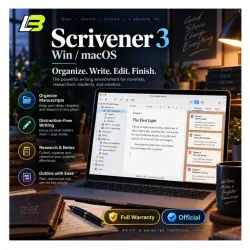
Scrivener 3 Win/MacOS Activation Key
Important notice
Any third-party trademarks, brand names, and product names referenced on this website are used solely to identify the relevant goods/services and, where applicable, to indicate intended purpose or compatibility. No affiliation, authorization, sponsorship, or endorsement by the trademark owners is implied unless expressly stated.
About the product
✍️ Scrivener 3 License Key
Organize long writing projects, research materials, drafts, notes, and manuscripts in one dedicated workspace with Scrivener 3.
Suitable for writers working on books, scripts, academic projects, journalism, and other long-form content.
━━━━━━━━━━━━━━━━━━━━━━
💻 Choose Your License
🔹 1 Device Option
• License supplied through the seller’s partner account
🔹 5 Device Option
• License registered using your personal email address
Supported systems:
🪟 Windows
🍎 macOS
━━━━━━━━━━━━━━━━━━━━━━
🔑 Product Information
✅ Scrivener 3 activation key
✅ Official updates supported
✅ Full-version activation
✅ Windows and macOS compatibility
Example key format:
xxxxxx-xxxxxx-xxxxxx-xxxxxx-xxxxxx
━━━━━━━━━━━━━━━━━━━━━━
📧 How You Receive the Key
Before completing your purchase, enter a valid email address in the “Mail” field.
Your activation information will be delivered to the email address provided with your order.
⏱️ Estimated delivery:
5 minutes to 8 hours
Delivery depends on order time and reseller working hours.
🕖 Store Hours:
7:00 AM to 10:00 PM
Cambodia Time, ICT / GMT+7
━━━━━━━━━━━━━━━━━━━━━━
⚙️ Getting Started
After receiving your license:
1️⃣ Download and install Scrivener 3
2️⃣ Launch the application
3️⃣ Open the license or activation section
4️⃣ Enter your provided key
5️⃣ Finish activation ✅
━━━━━━━━━━━━━━━━━━━━━━
📚 Built for Long Writing Projects
Scrivener combines writing and project organization tools in one application.
Use it for:
📖 Novels and books
🎬 Screenplays and scripts
🎓 Academic writing and research
📰 Journalism
📝 Non-fiction projects
💻 Long-form content
━━━━━━━━━━━━━━━━━━━━━━
🗂️ Keep Your Project Organized
Break large projects into folders, chapters, scenes, sections, or smaller documents.
This makes large manuscripts easier to manage without keeping everything inside one long file.
━━━━━━━━━━━━━━━━━━━━━━
📁 Keep Research Close to Your Draft
Store supporting material inside your project, including:
• Notes
• PDF documents
• Images
• Audio
• Reference material
• Other project files
━━━━━━━━━━━━━━━━━━━━━━
📸 Save Earlier Drafts
Use Snapshots to preserve document versions while editing.
Return to an earlier version when you need to compare or restore previous work.
━━━━━━━━━━━━━━━━━━━━━━
🎯 Track Your Writing
Monitor:
✔️ Word counts
✔️ Writing progress
✔️ Project targets
✔️ Draft completion
━━━━━━━━━━━━━━━━━━━━━━
📤 Compile & Export
Prepare your finished work for different formats, including:
• PDF
• Microsoft Word
• eBook formats
• Print-ready documents
• Other supported export formats
━━━━━━━━━━━━━━━━━━━━━━
🖥️ Flexible Workspace
Customize the writing environment to match your preferred workflow and keep research, drafts, and project structure accessible from one place.
━━━━━━━━━━━━━━━━━━━━━━
⭐ Scrivener 3 Highlights
✔️ Made for structured writing projects
✔️ Handles large manuscripts
✔️ Built-in research organization
✔️ Draft version management
✔️ Writing goals and statistics
✔️ Flexible compilation and export
✔️ Available for Windows and macOS
📌 Please select the correct 1-device or 5-device license option before placing your order.

 Top up
 Games
Games Discounts 90%
 AI
AI Windows
 Subsctiptions
 New Games
 Mobile Games