
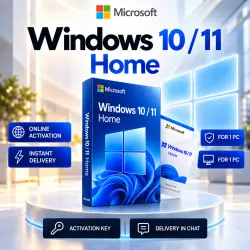
Windows 11 Home (Home) activation key – Online activation
Important notice
Any third-party trademarks, brand names, and product names referenced on this website are used solely to identify the relevant goods/services and, where applicable, to indicate intended purpose or compatibility. No affiliation, authorization, sponsorship, or endorsement by the trademark owners is implied unless expressly stated.
A digital key for the Windows 11 Home operating system. Lifetime activation, support for all updates, and security for your computer.
🚀 Our main advantages:
• Connection to Microsoft servers, update downloads available.
📋 Simple activation instructions:
1️⃣ Click the “Start” button on your computer and go to “Settings” (gear icon).
2️⃣ Open the “System” ➡️ “Activation” section.
3️⃣ Click “Change product key” and insert the purchased 25‑digit code.
4️⃣ Click “Next” and wait for the successful activation message.
⚙️ Product specifications:
• System bitness: x32 / x64 bits (suitable for any)
• Interface language: All languages of the world (multilingual)
• Activation region: Global (works anywhere in the world, including Russia and the CIS)
🛡 Important information and guarantees:
• The key is intended ONLY for the Windows 11 Home version.
• The key activation warranty is 14 days from the date of purchase. Please activate the code immediately.
• If any problems arise,
 Top up
 Games
Games Discounts 90%
 AI
AI Windows
 Subsctiptions
 New Games
 Mobile Games