
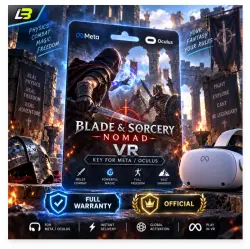
Blade & Sorcery: Nomad VR Key for Meta/Oculus Quest-VR
Important notice
Any third-party trademarks, brand names, and product names referenced on this website are used solely to identify the relevant goods/services and, where applicable, to indicate intended purpose or compatibility. No affiliation, authorization, sponsorship, or endorsement by the trademark owners is implied unless expressly stated.
🎮 META QUEST GAME & APP ACTIVATION GUIDE
━━━━━━━━━━━━━━━━━━
📦 ORDER & LICENSE DELIVERY
Once your payment is complete, your license key will be sent to you during our operating hours.
🕒 Delivery Schedule: 7:00 AM to 10:00 PM 🇰🇭 Cambodia Time (ICT / GMT+7)
━━━━━━━━━━━━━━━━━━
🛍️ PRODUCT DETAILS
🏪 Platform: Meta / Oculus Store
📲 Digital Content: Games & Applications
🥽 Compatible VR Headsets: ✅ Meta Quest 1 ✅ Meta Quest 2 ✅ Meta Quest 3 ✅ Meta Quest Pro
🌎 Region Compatibility: ✅ Worldwide Activation ✅ No Regional Restrictions
━━━━━━━━━━━━━━━━━━
🔑 HOW TO REDEEM YOUR CODE
💻 OPTION 1: ACTIVATE THROUGH THE WEBSITE
① Visit the store page of your purchased game or application.
② Locate and click the More (⋯) menu.
③ Choose "Receive Gift" or "Redeem Gift".
④ Type in your 25-digit activation code to redeem your product.
━━━━━━━━━━━━━━━━━━
📱 OPTION 2: ACTIVATE THROUGH THE META HORIZON APP
① Launch the Meta Horizon App and find the game or application you purchased.
② Press the three-dot (⋮) icon in the upper-right corner.
③ Select "Receive Gift" or "Redeem Gift" from the menu.
④ Enter your 25-digit license code to complete the redemption process.
━━━━━━━━━━━━━━━━━━
🎉 Enjoy your new Meta Quest experience!

 Top up
 Games
Games Discounts 90%
 AI
AI Windows
 Subsctiptions
 New Games
 Mobile Games