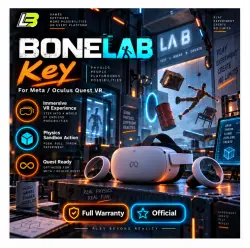
BONELAB Key for Meta/Oculus Quest-VR
Important notice
Any third-party trademarks, brand names, and product names referenced on this website are used solely to identify the relevant goods/services and, where applicable, to indicate intended purpose or compatibility. No affiliation, authorization, sponsorship, or endorsement by the trademark owners is implied unless expressly stated.
🎮 Meta Quest / Oculus Game Activation
Digital game activation for Meta Quest with worldwide availability and fast key delivery.
🌍 Region Support
✅ Worldwide activation
✅ Russia supported with an IP address outside Russia
✅ Quest Store / Meta Quest / Oculus
━━━━━━━━━━━━━━━━━━━━━━
🔑 What You Receive
📦 Digital game activation key
🔢 25-digit redemption code
⚡ Fast delivery after purchase
🛡️ Support before and after activation
Keys are delivered during our working hours:
🕖 7:00 AM to 10:00 PM
Cambodia Time, UTC+7
━━━━━━━━━━━━━━━━━━━━━━
🚨 Important Before Activation
If you have already tried to activate the same game before purchasing from us, please tell us immediately after your order.
Previous activation attempts can affect whether a new code is redeemable.
⚠️ If you do not inform us about a previous activation attempt and the supplied code later becomes non-redeemable because of this restriction, the seller is not responsible for a refund.
Please check this carefully before ordering.
━━━━━━━━━━━━━━━━━━━━━━
🖥️ Redeem Through the Website
1️⃣ Open the product or game page
2️⃣ Select the “⋯” menu
3️⃣ Choose “Redeem Gift” or “Receive a Gift”
4️⃣ Enter your 25-digit code
5️⃣ Complete the redemption
━━━━━━━━━━━━━━━━━━━━━━
📱 Redeem Through Meta Horizon
1️⃣ Open the Meta Horizon app
2️⃣ Visit the game page
3️⃣ Tap the three-dot menu in the upper-right corner
4️⃣ Select “Redeem Gift”
5️⃣ Enter the activation code
━━━━━━━━━━━━━━━━━━━━━━
🌐 Region-Related Activation Problems
If the redemption option, game price, or activation button does not appear:
• Connect through a supported region
• Use a reliable region-switching or спец. ПО service
• Fully close the app or browser
• Reopen it after the connection is active
• Try another service if the first connection does not work
⚠️ Some спец. ПО providers may fail because of regional filtering or service restrictions.
━━━━━━━━━━━━━━━━━━━━━━
🛠️ Support Availability
A human support operator is available daily during:
🕖 7:00 AM to 10:00 PM
Cambodia Time, UTC+7
If you have trouble with redemption, contact us with the error details.
Most activation problems are related to account region, connection region, or redemption visibility and can be checked quickly.
━━━━━━━━━━━━━━━━━━━━━━
📌 Product Summary
🎮 Platform: Meta Quest / Oculus / Quest Store
📁 Type: Digital game key
🔢 Code: 25 digits
🌍 Region: Worldwide
⚡ Delivery: Fast during working hours
💬 Support: Before and after purchase
 Top up
 Games
Games Discounts 90%
 AI
AI Windows
 Subsctiptions
 New Games
 Mobile Games