
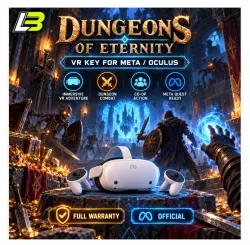
Dungeons Of Eternity VR Key for Meta/Oculus Quest-VR
Important notice
Any third-party trademarks, brand names, and product names referenced on this website are used solely to identify the relevant goods/services and, where applicable, to indicate intended purpose or compatibility. No affiliation, authorization, sponsorship, or endorsement by the trademark owners is implied unless expressly stated.
🎮 Meta Quest / Oculus Game Activation
Get your selected Meta Quest game activated with support for customers worldwide.
━━━━━━━━━━━━━━━━━━━━━━
📦 Service Details
🎮 Platform: Meta Quest / Oculus Quest Store
📁 Product Type: Digital Game
🌍 Region: Worldwide, including Russia with special activation requirements
⚠️ Users in Russia must connect using an IP address outside Russia during activation.
━━━━━━━━━━━━━━━━━━━━━━
⚡ Assisted Activation
For orders requiring account-based activation:
1️⃣ Send the email address connected to your Meta / Oculus account
2️⃣ Make sure the account is active and valid
3️⃣ We process the activation
4️⃣ Activation completed ✅
🔒 Your password is not required.
Please send only the account email linked to your Meta Quest profile.
━━━━━━━━━━━━━━━━━━━━━━
📩 Lost the Order Page?
If you close the purchase page before contacting us, open your Order Center and send us a message through your order.
👉 https://payment.ggsel.net/
This helps us locate your purchase and continue processing.
━━━━━━━━━━━━━━━━━━━━━━
🔑 Redeeming a 25-Digit Code
For orders delivered with a redemption code, use one of the methods below.
🖥️ Meta Website
1️⃣ Open the game or application page
2️⃣ Click the More “⋯” menu or dropdown
3️⃣ Choose “Redeem Gift” or “Receive Gift”
4️⃣ Enter your 25-digit code
5️⃣ Complete redemption
━━━━━━━━━━━━━━━━━━━━━━
📱 Meta Horizon App
1️⃣ Launch the Meta Horizon app
2️⃣ Open the selected game or application page
3️⃣ Tap the ⋮ menu in the upper-right corner
4️⃣ Select “Redeem Gift” or “Receive Gift”
5️⃣ Enter your 25-digit activation code
━━━━━━━━━━━━━━━━━━━━━━
🌐 Region Troubleshooting
If you cannot see the game price, redemption option, or activation button:
✅ Connect using an IP address from a supported region
✅ Close the Meta app or website completely
✅ Enable the supported-region connection
✅ Reopen Meta and try again
If the problem continues, try another спец. ПО or connection provider.
⚠️ Some спец. ПО services are blocked or unsupported by Meta’s regional systems.
━━━━━━━━━━━━━━━━━━━━━━
🕐 Customer Support
👨💻 Human support available every day
🕖 7:00 AM to 10:00 PM
Cambodia Time, ICT / GMT+7
If you experience an activation problem, contact us through your order with the error details.
━━━━━━━━━━━━━━━━━━━━━━
🛡️ Service Guarantee
✅ Product functionality covered
✅ Assistance before purchase
✅ Support after purchase
✅ Help with activation and redemption problems
🎁 A random-value gift card is available for qualifying positive reviews, subject to the marketplace rules.
━━━━━━━━━━━━━━━━━━━━━━
📌 Before Ordering
• Confirm your Meta / Oculus account email is correct
• Never send your account password
• Russian-region users need an IP address outside Russia
• Keep your order information until activation is complete
• Contact us through the Order Center if you need assistance
 Top up
 Games
Games Discounts 90%
 AI
AI Windows
 Subsctiptions
 New Games
 Mobile Games