
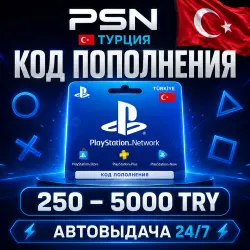
PSN Recharge Code Türkiye 250-5000 TRY PlayStation Network Wallet TL | Gift Card Gift C
Important notice
Any third-party trademarks, brand names, and product names referenced on this website are used solely to identify the relevant goods/services and, where applicable, to indicate intended purpose or compatibility. No affiliation, authorization, sponsorship, or endorsement by the trademark owners is implied unless expressly stated.
About the product
💥 AUTOMATIC PRODUCT DELIVERY 24/7 💥
Immediately after payment, you will be automatically redirected to a page with your activation code. No waiting – the code is issued instantly, 24/7.
You are purchasing a gift card (top-up code 🔑) for your PlayStation Network Wallet account in Turkey 🇹🇷. Top up your PSN Wallet balance in Turkish Lira (TRY/TL) and purchase games, add-ons, PS Plus subscriptions (Essential / Extra / Deluxe), EA Play, movies, and in-game currency from the PlayStation Store in Turkey at great prices.
🎯 AVAILABLE DENOMINATIONS:
250 · 500 · 750 · 1000 · 1500 · 2000 · 2500 · 3000 · 4000 · 5000 TL — select the one you need from the list above.
━━━━━━━━━━━━━━━━━━━━━━━━━━━━━
❤️ BEST PRICE GUARANTEE ❤️
Found it cheaper – we'll make it even cheaper. Just message us in the chat.
━━━━━━━━━━━━━━━━━━━━━━━━━━━━
⚠️ IMPORTANT! MUST READ ⚠️
✅ PlayStation Wallet Turkey license keys.
✅ The card can only be activated on accounts in the Turkey region.
✅ You can redeem the code from any device—PC, phone, PS4, or PS5.
✅ We recommend not using special software for activation.
💰 THE TURKEY ACCOUNT WALLET LIMIT IS 5,000 TL
For example: if you already have 3,000 TL in your account and want to activate a code for 2,500 TL, an error will occur until your balance is 2,500 TL or less. Please consider this before purchasing.
❗️ Once purchased and the digital code is received, no replacements or refunds will be issued.
━━━━━━━━━━━━━━━━━━━━━━━━━━━━━━━━━
❓ ANSWERS TO QUESTIONS
❓ Is it possible to activate the code without changing my geolocation? — Yes, and we recommend activating without changing your geolocation.
❓ I entered the code on the website/in the app, clicked "Continue," and nothing happens.
— This happens periodically (usually due to a change in geolocation). Try activating through the console itself; the code will work.
━━━━━━━━━━━━━━━━━━━━━━━━━━━━━━
📥 HOW TO RECEIVE AND ACTIVATE A CODE
1. Select the denomination of the gift code.
2. After payment, stay on this page—you will be redirected to the issuance page, where you will receive the activation code.
3. Activate the code using one of the methods below.
🌐 From a browser: Open the PlayStation Store (store.playstation.com) → click on your avatar → Redeem Codes → enter the code → Redeem.
🎮 On PS5: Settings → Users & Accounts → Account → Payments & Subscriptions → Redeem Codes → enter the code → Redeem.
🎮 On PS4: PlayStation Store → scroll down the side menu → Redeem Codes → enter the code → Redeem.
🛒 During payment: Select Redeem Codes and Gift Cards in the payment methods → enter the code → Redeem.
━━━━━━━━━━━━━━━━━━━━━━━━━━━━
📦 Order pickup — 24/7
💬 Customer support — daily from 10:00 AM to 10:00 PM
✅ Thousands of satisfied customers · Fast auto-delivery · Code guarantee
 Top up
 Games
Games Discounts 90%
 AI
AI Windows
 Subsctiptions
 New Games
 CS2 Market
 Mobile Games