
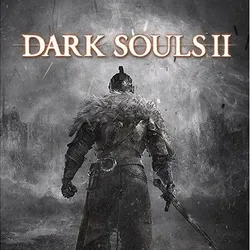
Buy Dark Souls II 2 Steam Offline activation
Important notice
Any third-party trademarks, brand names, and product names referenced on this website are used solely to identify the relevant goods/services and, where applicable, to indicate intended purpose or compatibility. No affiliation, authorization, sponsorship, or endorsement by the trademark owners is implied unless expressly stated.
Buying the product, you will receive Login:Password to a licensed account with the game Dark Souls 2 (STEAM).
IT'S AN OFFLINE ACTIVATION NOT A ACTIVATION KEY
-After purchase you will be given data in the format login:password
-Changing data on your account is prohibited
-Playable only in offline mode
MAKE SURE YOUR PC CAN RUN THE GAME WITHOUT PROBLEM
You can check the system requirement here: https://www.systemrequirementslab.com/cyri/requirements/dark-souls-ii/12005
IT'S AN OFFLINE ACTIVATION NOT A ACTIVATION KEY
-After purchase you will be given data in the format login:password
-Changing data on your account is prohibited
-Playable only in offline mode
MAKE SURE YOUR PC CAN RUN THE GAME WITHOUT PROBLEM
You can check the system requirement here: https://www.systemrequirementslab.com/cyri/requirements/dark-souls-ii/12005
1. Download the Steam client and log in to your account.
2. In the Steam client, at the top left, click on the Steam icon (next to the "View" button) and click "Go offline..."
3. Go to the Library section, select the desired game and click on the gear button (“Manage”)
4. Select "Properties"
5. Uncheck "Enable synchronization of saves with Steam Cloud for..."
6. Enjoy the game!
2. In the Steam client, at the top left, click on the Steam icon (next to the "View" button) and click "Go offline..."
3. Go to the Library section, select the desired game and click on the gear button (“Manage”)
4. Select "Properties"
5. Uncheck "Enable synchronization of saves with Steam Cloud for..."
6. Enjoy the game!
 Top up
 Games
Games Discounts 90%
 AI
AI Windows
 Subsctiptions
 New Games
 Mobile Games