
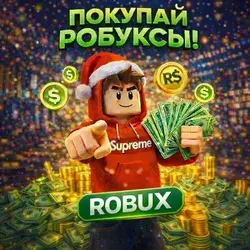
Buy 200 - 10000 Robux in Roblox All Regions (copy)
Important notice
Any third-party trademarks, brand names, and product names referenced on this website are used solely to identify the relevant goods/services and, where applicable, to indicate intended purpose or compatibility. No affiliation, authorization, sponsorship, or endorsement by the trademark owners is implied unless expressly stated.
About the product
, YOU WILL RECEIVE THE FULL AMOUNT OF ROBUX
IT 'S NOT OUR FAULT – THERE 'S NO GOING BACK
Robux will be credited to your account within 5 days, in accordance with the Roblox rules.
After payment, you will receive a unique order code. Please send it to us so that we can start processing your order.
Login and personal data are not required from the account. The whole procedure is safe and is performed without logging into your account.
📌 How to create a Gamepass (the easy way):
1.Go to the website roblox.com and log in to your account.
2.Click the Create button at the top of the page.
3.In the Creations section, select your game (make sure it is public).
4.In the menu on the left, go to Monetization → Passes and create a new Gamepass.
5.Set the price = the amount of Robux you ordered + 43%.
▪ Example: ordered 100 Robux → set the price to 143 Robux
6.Enable "Item for Sale" and save the changes.
7.Go to your profile → find the game → open the Store tab.
8.Copy the link to Gamepass and send it to us along with the code.
Important Notes:
🚫 Do not include regional prices, otherwise you will receive less Robux.
📛 The name of Gamepass should be neutral (without links to websites or suspicious words).
🔄 If Gamepass is not displayed, refresh the page or try to open it from your computer.
Any questions? Write to us and we will tell you what to do!
✅ After receiving your link, we will purchase Gamepass and your Robux will be delivered within 5 days.
 Top up
 Games
Games Discounts 90%
 AI
AI Mobile Games
 Game Pass
 New Games
 Nintendo