
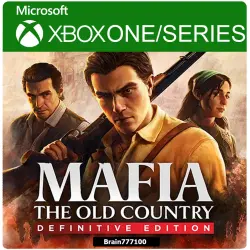
Mafia: The Old Country Definitive Edition Xbox Series
Important notice
Any third-party trademarks, brand names, and product names referenced on this website are used solely to identify the relevant goods/services and, where applicable, to indicate intended purpose or compatibility. No affiliation, authorization, sponsorship, or endorsement by the trademark owners is implied unless expressly stated.
You can also purchase a general profile with a 3-month Game Pass Ultimate subscription from us at a great price: https://ggsel.net/catalog/product/akkaunt-xbox-game-pass-ultimate-3-mesiaca-xbox-one-series-3189387
After payment, you will receive a licensed game (login and password). After downloading the game, you can freely play and launch the game from your profile. This is a general profile. Parental controls are available for launching the game through screen time. If your profile doesn't have parental controls, please contact us after purchase. We will set them up and send you instructions.
Installing the game on an XBOX ONE console:
1) Log in to your purchased profile and click "Login."
2) Click "Add New User," enter your purchased login and password.
3) If prompted for a code, click "Next" and contact us.
4) Set your login and security settings to "Unlimited."
5) Go to "My Games and Apps."
6) Scroll right, find the purchased game, and install it.
7) Play only with your primary profile.
8) Do not delete your purchased profile. Enjoy!
WARNING!:
1) You cannot set your account as a home account.
2) You cannot change your account information or share it with third parties.
3) Additional email is not provided.
4) A constant internet connection is required.
5) Shared profile (you purchase the game and the ability to play with your primary profile; the profile itself is not for sale.)
6) The profile is sold for a year.
How to play with screen time (there are no drops when launching this method): https://disk.yandex.ru/i/Hw_F-oI578ek-A
1) Log in to your main profile
2) Settings - System - Time (set any value between 8 and 20)
3) Network Settings - Additional Settings - Additional MAC - Clear - Restart
4) Log in to your main profile. Settings - System - Time (set any value between 3 and 7)
5) Log in to the purchased profile (after logging in to the purchased profile, log out of your main profile). You should see flags flashing at the bottom.
6) Then log back into the purchased profile, press the back button, and then log back into your main profile. Launch the game.
This account is for general access. If you occasionally get dropped during gameplay, try logging back in later. Any claims in this case will not be accepted.
Refunds will not be issued if your profile is blocked, but you will be able to select a replacement profile. Refunds for reasons such as "I didn't like the game" or "I bought the wrong thing" will not be issued.
The seller is not responsible for console system updates that may affect the operation of the shared account.
 Top up
 Games
Games Discounts 90%
 AI
AI Windows
 Subsctiptions
 New Games
 Mobile Games