

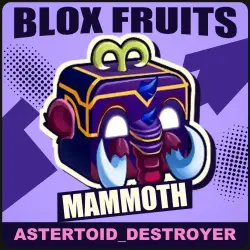
Mammoth | Blox Fruits
Important notice
Any third-party trademarks, brand names, and product names referenced on this website are used solely to identify the relevant goods/services and, where applicable, to indicate intended purpose or compatibility. No affiliation, authorization, sponsorship, or endorsement by the trademark owners is implied unless expressly stated.
About the product
Mammoth for Blox Fruits (Roblox).
⚠️ TRADING ACCESS REQUIRED: Second Sea (level 700+).
Without it the game will not let you receive the item — a restriction that
cannot be bypassed. If you do not meet it, do not buy: the order will be
cancelled.
✅ WHAT WE NEED FROM YOU
• Your Roblox login (username), not your in-game display name. They are
easy to confuse, and a display name sends the item to another player. Your
login is shown in Roblox profile settings.
• Be ready to open Blox Fruits soon, not «later tonight».
• Reply in the order chat — often in English. The trade
cannot start without your response.
• ⚠️ You need your own items to trade. The game only allows a trade if the two sides' values differ by no more than 40%. So you give the seller your own items — worth at least ~60% of the item you are buying (for example, for an item worth 1,000,000 you must give ~600,000 of your own: one such item or several adding up). Keep items you don't mind losing ready — without them the trade cannot start.
🔄 HOW THE HANDOVER GOES
1. Right after payment open the order chat on GGSel — you will be
contacted and guided step by step.
2. The seller gives their nickname. Then accept the friend request from the seller or send your own — whichever they ask in the chat, and they join your server.
They may ask you to add a second account of theirs — that is part of the handover.
3. Do the trade in game. Once you have the item, reply “received” in the
chat and the order closes.
⚠️ IMPORTANT BEFORE YOU PAY
• No more than 5 trades a day. A game restriction: if you have already traded five times today, the next trade will not start until the counter resets (11:59 PM UTC+8). Buy when your limit is free.
• Make room for the fruit. Your inventory holds one copy of each fruit (more only with the «+1 Fruit Storage» gamepass). With no room the game refuses with «exceeds their fruit limit»: eat, sell or trade away the spare copy and the handover goes through.
• Trading happens at a table in the Kingdom of Rose café (Second Sea, the yellow building near the island centre) or in the mansion at Floating Turtle (Third Sea). There is no «trade» button in the menu: you sit at a table, the seller sits opposite, and the trade window opens by itself.
If something goes wrong: the order page shows the status and a support
button. Keep your order number. If the seller does not show up or the handover
fails, you get a refund.
⏱ Timing — usually 15 to 45 minutes, hard limit 3 hours: not handed over by then — full refund. Questions — in the order chat.
[roblox]
schema=1
category=fruits
rarity=mythical
type=beast
variant=physical
delivery=manual
[/roblox]
 Top up
 Games
 Discounts 90%
 AI
 Windows
 Subsctiptions
 New Games
 Mobile Games