
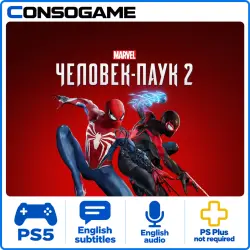
Rent Marvel’s Spider-Man 2 PS5 3-30-Day Rental
Important notice
Any third-party trademarks, brand names, and product names referenced on this website are used solely to identify the relevant goods/services and, where applicable, to indicate intended purpose or compatibility. No affiliation, authorization, sponsorship, or endorsement by the trademark owners is implied unless expressly stated.
About the product
🔺🟢✖️🟪 GAME ACCOUNT RENTAL 🔺🟢✖️🟪
❗️ Attention: you are purchasing temporary access (rental), not the account itself
🔐 The account is personally owned and was created by us
💳 All games were purchased officially in the PS Store
✅ Guaranteed access throughout the rental period
━━━━━━━━━━━━━━━━━━━
🎯 PLATFORM
🟦 PS5 — Available ✅
━━━━━━━━━━━━━━━━━━━
🎮 GAMES
🕹 Marvel’s Spider-Man 2
━━━━━━━━━━━━━━━━━━━
🌐 GAME LANGUAGES — PS5
💬 Text / interface: Arabic, Czech, Danish, German, Greek, English, Spanish, Finnish, French, Hungarian, Italian, Dutch, Norwegian, Polish, European Portuguese, Russian, Swedish
🎙 Voice audio: Arabic, German, English, Spanish, French, Italian, Polish, European Portuguese, Russian
━━━━━━━━━━━━━━━━━━━
🔐 ACTIVATION TYPE
🎮 The game is played from the provided account
🚫 Not suitable if trophies and saves on your own account are important to you
🌐 A continuous internet connection is required
━━━━━━━━━━━━━━━━━━
⚠️ IMPORTANT RULES
❌ Do not change account details
❌ Do not use the account on more than 1 console
❌ Hacking attempts will result in access being blocked without a refund
📌 You are purchasing access to the game, not the account itself
━━━━━━━━━━━━━━━━━━━
🔺🟢✖️🟪 PLAYSTATION INSTALLATION INSTRUCTIONS 🔺🟢✖️🟪
⚠️ These instructions are universal and provided for information purposes.
They are not an individual product description.
━━━━━━━━━━━━━━━━━━━━━━━
👤 CREATING A NEW USER AND SIGNING IN
🔹 PS4:
➡️ “Power”
➡️ “Switch User”
➡️ “New User” (not as a guest!)
🔹 PS5:
➡️ “Get Started” (not as a guest!)
➡️ Accept the licence agreement
━━━━━━━━━━━━━━━━━━━━━━━
⚙️ ACTIVATION AND CONSOLE SHARING
🔹 PS4:
❗️ If asked to change the primary system,
➡️ select “Do Not Change”
🔹 PS5:
❗️ “Console Sharing”
➡️ Select “Disable” / “Do Not Enable”
━━━━━━━━━━━━━━━━━━━━━━━
⬇️ DOWNLOADING THE GAME
📚 Library
➡️ Open the “Purchased” section
➡️ Find the game
➡️ Select “Download”
📊 You can check the download status using the Options button
━━━━━━━━━━━━━━━━━━━━━━━
🎮 All set! Enjoy the game!
━━━━━━━━━━━━━━━━━━━
♻️ AFTER THE RENTAL ENDS
🔄 Account details will be changed
🗑 Remove the account from your console
━━━━━━━━━━━━━━━━━━━
⏱️ DELIVERY TIME
⏳ Average order fulfilment time: 10–30 minutes (no more than 24 hours after purchase)
⏳ Working hours: 09:00–22:00 UTC+2 ⌛️
⏳ Orders placed at night (after 22:00 UTC+2) may be processed the next day ⌛️
━━━━━━━━━━━━━━━━━━━
💬 For any questions, contact us in chat before purchasing.
🔺🟢✖️🟪 PlayStation Account Rental Terms (P2) 🔺🟢✖️🟪
📌 General:
The game is played through the provided account (P2), which remains the property of the service
Rental period — 5 days
No refund is provided if you finish the game before the rental period ends
🔐 Usage:
Only 1 console
A continuous internet connection is required
Do not change account details, sign in through the Sony website, or share the account with others
You may add friends
📦 PS Plus:
The account has no PS Plus subscription (but your own PS Plus may work)
💵 If a REFUND is requested due to your fault or on your initiative (wrong region, wrong product, failure to read the description, account blocked, forgotten details, change of mind, etc.), 20% WILL BE WITHHELD TO COVER THE PLATFORM FEE. If the issue is the seller's fault, the refund is provided IN FULL. NO refund is provided AFTER you receive the product.
🚫 Any attempt to change account details or take ownership of the account will result in access being blocked without a refund.
 Top up
 Games
Games Discounts 90%
 AI
AI Windows
 Subsctiptions
 New Games
 Mobile Games