
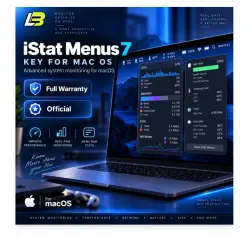
iStat Menus 7 Key istat menus mac os
Important notice
Any third-party trademarks, brand names, and product names referenced on this website are used solely to identify the relevant goods/services and, where applicable, to indicate intended purpose or compatibility. No affiliation, authorization, sponsorship, or endorsement by the trademark owners is implied unless expressly stated.
About the product
🍏 iStat Menus for macOS | Complete Mac System Monitoring
Keep track of your Mac’s performance in real time with iStat Menus.
Monitor CPU load, memory usage, storage activity, network traffic, battery health, temperatures, fan speeds, and other system sensors directly from macOS. 💻⚡
🔍 Monitor Your Mac in Real Time
iStat Menus gives you detailed system information so you can quickly check performance, hardware activity, and resource usage.
Useful for professionals, creators, and everyday Mac users who want better visibility into system performance.
✨ Main Features
💡 CPU & RAM Tracking
View processor activity and memory usage in real time. Identify resource-heavy tasks and performance slowdowns.
📁 Disk Activity Monitoring
Check storage usage, disk read and write activity, and other disk information to keep an eye on system performance.
📶 Network Statistics
Monitor bandwidth usage and network traffic as it happens.
🔋 Battery Information
View battery condition, charge cycles, and power usage to better understand battery performance.
🌡️ Hardware & Sensor Data
Track temperatures, fan speeds, system sensors, and other important hardware information.
⭐ Why Use iStat Menus?
🖥️ Detailed Mac hardware and system monitoring
⚡ Real-time performance information
🍏 Designed for macOS
🔒 Quick and secure activation
👌 Clean and simple interface
🆓 Test Before Purchasing
✔️ Download and try iStat Menus before buying
✔️ Check the software first before activating the full version
🌍 Worldwide Activation
✔️ Activation works globally
✔️ Compatible with iStat Menus
🔓 Simple Activation
Unlock the complete version with a fast and straightforward license activation process.
🚀 Getting Started
1️⃣ Purchase your activation key
2️⃣ Download iStat Menus from the official website 📥
3️⃣ Enter your license key to activate the software 🔑
4️⃣ Start monitoring your Mac immediately ⚡
⚡ After Checkout
✅ Send us your unique 16-digit purchase code after completing your order
📩 Your iStat Menus license key will be delivered through the order chat
🍏 Stay Informed About Your Mac
Track important system activity from one place and spot performance or hardware issues before they interrupt your workflow. ✨
 Top up
 Games
Games Discounts 90%
 AI
AI Windows
 Subsctiptions
 New Games
 Mobile Games