
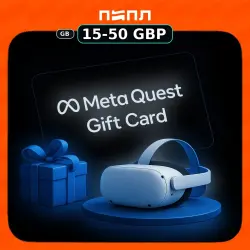
Meta Quest Gift Card | UK • United Kingdom (GB)
Important notice
Any third-party trademarks, brand names, and product names referenced on this website are used solely to identify the relevant goods/services and, where applicable, to indicate intended purpose or compatibility. No affiliation, authorization, sponsorship, or endorsement by the trademark owners is implied unless expressly stated.
About the product
Meta Quest - voucher
Meta Quest Gift Card United Kingdom (GB)
15-50 GBP
Endless possibilities are ready in VR. Explore a huge mix of hit games, one-of-a-kind experiences, new ways to create and connect, and live events.
Meta Quest Mobile App:
1. Install the Meta Quest app on your iPhone or Android phone
2. Sign in with (or create) your Meta account
3. Go to ‘Wallet’ in the Menu of the Meta Quest app
4. Click on ‘+’ button to open ‘Add to Wallet’
5. In the “Add to Wallet” select and click on ‘Gift Card’ option
6. Enter your Gift Card Code
7. Click ‘Redeem’ button
8. Meta Quest Gift Card will be added to your Meta Quest wallet.
9. You can now use your Gift Card to purchase apps & experiences at the Meta Quest Store
Web Browser:
1. Go to https://store.meta.com/redeem-code
2. Sign in with (or create) your Meta account
3. Enter your Gift Code
4. Click on ‘ ->’ button
5. Meta Quest Gift Card will be added to your Meta Quest wallet.
6. You can now use your Gift Card to purchase apps & experiences at the Meta Quest Store
Please note that digital products are non-refundable and non-exchangeable once delivered. By completing your purchase, you acknowledge and agree to these terms and conditions.
 Top up
 Games
Games Discounts 90%
 AI
AI Windows
 Subsctiptions
 New Games
 Mobile Games