
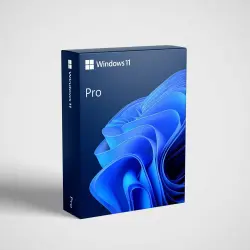
Microsoft Windows 11 Pro (Professional) Key
Important notice
Any third-party trademarks, brand names, and product names referenced on this website are used solely to identify the relevant goods/services and, where applicable, to indicate intended purpose or compatibility. No affiliation, authorization, sponsorship, or endorsement by the trademark owners is implied unless expressly stated.
Here is your activation code for the digital product from your order:
Microsoft Windows 11 Pro (Professional) / digital activation key / perpetual license / online activation
⚠️ Common errors and solutions:
❌ 0xC004C060 — The key has been blocked by the server. Contact us immediately via the order chat or Telegram — we will promptly replace the key.
❌ 0xC004C008 / 0xC004C020 — No need to worry; this simply requires activation by phone (see the "Phone Activation" section below).
❌ 0xC004F050 — The activation key does not match the Windows version. If you have the "Home" version, you need to upgrade to the Windows Pro version (see the "Upgrading from Home to Pro" section below).
📋Activation Instructions📋:
✅1. Click the Windows "Start" icon located in the bottom-left corner of the screen.
✅2. Select "Settings" from the menu.
✅3. Click "Update & Security," then select "Activation" from the left-hand column.
✅4. Select "Change product key."
✅5. Enter the activation key you received (in the format XXXXX-XXXXX-XXXXX-XXXXX-XXXXX) into the designated field, then click "Next."
✅6. Click "Activate" to complete the activation process.
✅7. Once activation is complete, you will be able to use...
 Top up
 Games
Games Discounts 90%
 AI
AI Windows
 Subsctiptions
 New Games
 Mobile Games