
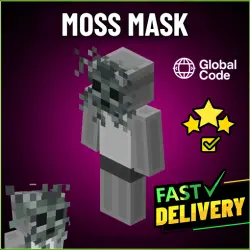
Minecraft - Moss Mask DLC XBOX One / Xbox Series X|S / PC CD Key
Important notice
Any third-party trademarks, brand names, and product names referenced on this website are used solely to identify the relevant goods/services and, where applicable, to indicate intended purpose or compatibility. No affiliation, authorization, sponsorship, or endorsement by the trademark owners is implied unless expressly stated.
FROM A WEB BROWSER:
Go to the Microsoft redeem page.
Log into your Microsoft Account.
Enter the key and click Next.
Follow the prompts.
IN THE MICROSOFT STORE ON WINDOWS:
Press the Start button , and then enter store into the search bar.
Choose Microsoft Store from the results to open the app.
Select your account in the top-right corner of the screen, and then select Redeem code or gift cards.
Enter the 25-character code, select Next, and then follow the prompts.
ON XBOX ONE AND XBOX SERIES X|S:
Press the Xbox button to open the guide, and then select Store.
Press the View button to open the side menu, and then select Redeem.
Enter the 25-character code, select Next, and then follow the prompts.
ON XBOX 360:
Press the Guide button on your controller.
Select Games & Apps, and then select Redeem Code.
Enter the 25-character code, and then follow the prompts to complete your redemption.
Please note that Xbox 360 codes can ONLY be activated on the Xbox 360 console directly!
 Top up
 Games
Games Discounts 90%
 AI
AI Windows
 Subsctiptions
 New Games
 Mobile Games