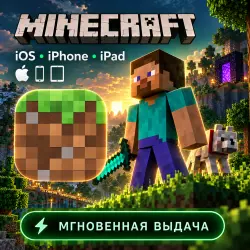
Minecraft ios iPhone iPad AppStore
Important notice
Any third-party trademarks, brand names, and product names referenced on this website are used solely to identify the relevant goods/services and, where applicable, to indicate intended purpose or compatibility. No affiliation, authorization, sponsorship, or endorsement by the trademark owners is implied unless expressly stated.
📱 **Minecraft for iPhone & iPad — Download the game that disappeared from the App Store!**
🎮 Minecraft has been removed from the App Store in many regions. But you can still get it! Purchase — receive shared App Store account credentials with the game already bought — download Minecraft to your device — play forever!
⏱️ **Access: 24 hours** from the moment of purchase. Enough to calmly download the game and make sure everything works.
🤖 **Auto-delivery:** credentials are sent automatically right after payment — no need to wait for the seller, order anytime!
🌍 **The account works in any region.** It doesn't matter where you are — the download will go smoothly.
✅ **What you get:**
• Login and password for a shared App Store account
• Detailed step-by-step installation guide
• Guarantee and free replacement if the account doesn't work
• 24/7 support from the AppWaves team
📋 **Step-by-step installation guide:**
**Step 1.** Go to Settings → Apple ID (your profile at the very top). Tap "Sign Out" — this will disconnect your Apple ID from the App Store but won't delete your data. If you don't have your own Apple ID — skip this step.
**Step 2.** Open the App Store app. Tap your profile icon in the top right corner, scroll all the way down → tap "Sign Out".
**Step 3.** Sign in to the App Store using the login and password from the auto-delivery message. If a verification code request appears — message our support and we'll send the code.
**Step 4.** Go to the "Purchases" section (or "Updates" → "Purchased") in the App Store. Find Minecraft in the list and tap the cloud icon ⬇️ — the download will begin.
**Step 5.** Wait for the game to fully download. Open Minecraft, make sure the game launches and works. Only after that, sign out of the App Store account and switch back to your own Apple ID.
✅ The game stays on your device **forever** — until you manually delete it. To update Minecraft in the future, you'll need to re-access the account (you can purchase access again).
⚠️ **IMPORTANT TECHNICAL TIPS — read before installing:**
🔸 **Disable "Offload Unused Apps"** — Settings → App Store → turn off the "Offload Unused Apps" toggle. Otherwise the system may delete Minecraft when you sign out of the account, and you'll have to download it again.
🔸 **Disable parental controls and "Ask to Buy"** — Settings → Screen Time → "In-App Purchases" and "Ask to Buy" must be turned off. Otherwise the download may be blocked.
🔸 **DO NOT sign in to iCloud** with our account — only the App Store! Signing in to iCloud may result in your device being locked.
🔸 **DO NOT make in-game purchases** — in-app purchases on the shared account are prohibited.
🔸 **DO NOT change account data** — login, password, and other details cannot be changed.
🔸 **1 device only** — you can download on only one device per access.
🛡️ **AppWaves Guarantee:**
If the account doesn't work or the game won't download within 24 hours of purchase — we will replace the account for free. Just message our 24/7 support with a screenshot of the issue — and get new credentials within minutes.
💬 **24/7 Support:** the AppWaves team is always available. Have questions before or after purchase — message us, we'll help every step of the way.
💰 **Refund:** once you've downloaded the game and the data has been transferred to your device — refunds are not available. If the account didn't work before downloading — we'll replace it for free.
⭐ **Why choose AppWaves:**
• Auto-delivery — credentials right after payment
• Honest 24-hour guarantee with replacement
• 24/7 support, fast response
• Clear instructions — anyone can follow
• Best price on the market
🎯 Don't miss the chance to download Minecraft while accounts are available. Hit "Buy" — credentials arrive instantly! 🎮
 Top up
 Games
Games Discounts 90%
 AI
AI Windows
 Subsctiptions
 New Games
 Mobile Games