
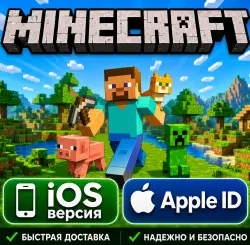
Minecraft - iOS version - We will create a personal Apple ID account with full access for you.
Important notice
Any third-party trademarks, brand names, and product names referenced on this website are used solely to identify the relevant goods/services and, where applicable, to indicate intended purpose or compatibility. No affiliation, authorization, sponsorship, or endorsement by the trademark owners is implied unless expressly stated.
About the product
✨【Exclusive for iOS Players】Play Minecraft with One Click! Official App Store Instant Download ✨ Get your own Minecraft Apple ID and password instantly upon successful payment
♾️ Permanent Updates | One-time purchase, enjoy free upgrades for all future versions, endless excitement.
⚡ Instant Installation | Log in to the designated App Store for one-click download. A quick and easy setup in minutes, saving you time and effort.
🛡️ Worry-Free Play | Unlimited account usage, immerse yourself in the pixel world anytime, anywhere.
📜 Helpful Guide | Includes a detailed and easy-to-understand illustrated installation tutorial, even beginners can easily get started.
💬 Top-Notch After-Sales Service | Professional customer service provides 1-on-1 online support to answer any questions you may have.
🌐 Globally Compatible | No geographical restrictions, supports perfect operation on iOS devices in any country/region worldwide.
🎮 Create the Limitless | One-Time Installation, Lifetime Benefits — In the world of blocks, anything is possible!
━━━━━━━━━━━━━━━━━━━━
📦 【Shipping Format】 📦 After purchase, you will receive complete account information in the following standard format, ensuring security and transparency:
Account (Email) - Password - Security Question 1 (Friends) - Security Question 2 (Work) - Security Question 3 (Parents) - Date of Birth
🚨 【Must Read! Security Usage Guidelines】 (This concerns the survival of your account, please read carefully!) 🚨 To ensure the long-term stability of your account, please strictly adhere to the following "Security Rules":
📍 【Sole Login Path】: Please, absolutely, absolutely log in only through the App Store!
❌ Absolutely do not log in directly through your phone's "System Settings" or "iCloud"! Otherwise, you are highly likely to trigger Apple's risk control mechanism, resulting in account suspension or even device locking.
⏳ 【5-Day Safety Acclimation Period】: New device logins require a 5-day "account nurturing period." During this period, please do not modify any account information and maintain normal App Store download habits for 3-5 days to simulate real user behavior.
🔄 【Regarding App Updates】: Older versions of apps downloaded using the old Apple ID cannot be directly updated with the new account. Please uninstall the app first, then download it again with the new account.
📶 【Network Connection Issues】: If you encounter a "Cannot connect to network" error message when logging in, please try switching between Wi-Fi and mobile data (4G/5G) and try again.
━━━━━━━━━━━━━━━━━━━━
🛡️ 【Account Security and Management (Please proceed after the 5-day adaptation period)】 🛡️
🔐 Enhanced Security: After the 5-day adaptation period, we strongly recommend that you go to the Apple website (Apple ID management page) to enable two-factor authentication (2FA) or change your secondary email address to your own frequently used email address.
📱 Phone Binding: We recommend that you bind your own mobile phone number to truly make your account yours, making it easier to recover or retrieve your account in the future!
━━━━━━━━━━━━━━━━━━━━━
💡 【Frequently Asked Questions (FAQ)】 💡
⌨️ Input Errors: When manually entering your account password, please pay attention to capitalization and avoid adding extra spaces. We recommend using "copy and paste".
🚫 Account Locked/Deactivated: If you encounter a "Reset Password" prompt, please go to the official Apple password recovery page and use the security questions we provide to reset your password. ⏩ Skip Security Upgrade: If a pop-up window prompts you to "Update your account security settings" upon login, please click the bottom 👉 "Other Options" 👉 "Do not upgrade". This will immediately restore access to the store.
⚠️ 【Purchase Notice】 | Due to the special nature of virtual goods, once account information is shipped, returns and exchanges are not supported unless there is a problem with the account itself. Thank you for your understanding and support! 🙏
 Top up
 Games
Games Discounts 90%
 AI
AI Windows
 Subsctiptions
 New Games
 Mobile Games