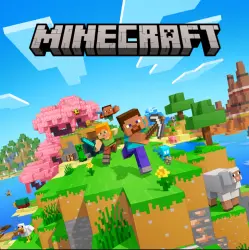
Minecraft: Java & Bedrock Edition (Global)
Important notice
Any third-party trademarks, brand names, and product names referenced on this website are used solely to identify the relevant goods/services and, where applicable, to indicate intended purpose or compatibility. No affiliation, authorization, sponsorship, or endorsement by the trademark owners is implied unless expressly stated.
Full version of Minecraft for PC with access to both editions — Java and Bedrock — in one Microsoft account. After activation, you will receive an official license key for the global region (Global) and the ability to play on Windows, macOS, and Linux (Java), as well as on Windows 10/11 with cross-platform play with consoles and mobile devices (Bedrock).
What You Get
Access to Minecraft: Java Edition and Minecraft: Bedrock Edition for PC in one product.
A universal Minecraft Launcher that allows you to switch between editions.
Cross-platform play in Bedrock with friends on Xbox, PlayStation, Nintendo Switch, Android, and iOS.
Regular official updates from Mojang/Microsoft.
The ability to play online and offline, depending on the mode and platform.
Who It’s For
Those who want a single all-in-one purchase and the freedom to choose between Java and Bedrock.
Those who want to play with friends on different devices via Bedrock.
Those planning to use mods, older versions, and custom servers in Java Edition.
How to Activate
Purchase the product and receive the key/instructions in your personal account.
Go to the official Microsoft/Minecraft website and sign in to your account, or create a new one.
Enter the key or follow the activation link provided in the instructions.
Install the official Minecraft Launcher and select the required edition — Java or Bedrock.
Launch the game and start playing.
Important: Once activated, the license will be permanently linked to your Microsoft account.
Technical Details
Platform: PC (Windows 10/11); Java Edition also works on macOS and Linux.
Region: Global, with no regional restrictions.
Interface language: Can be selected in the launcher or game settings.
A Microsoft account and an internet connection are required for activation.
Warranty and Support
Digital product: the key/instructions are delivered automatically after payment.
If you experience activation issues, contact the store or seller’s support team and provide your receipt and a screenshot of the error.
If needed, I can also adapt the text to match your preferred style — shorter or longer, with an emphasis on instant delivery, warranty, reviews, and other selling points.
 Top up
 Games
Games Discounts 90%
 AI
AI Windows
 Subsctiptions
 New Games
 Mobile Games