
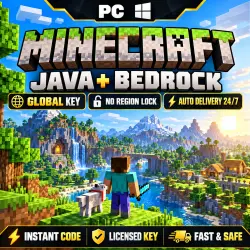
Minecraft Java + Bedrock Edition PC | GLOBAL KEY | AUTO DELIVERY 24/7 | Licensed Key
Important notice
Any third-party trademarks, brand names, and product names referenced on this website are used solely to identify the relevant goods/services and, where applicable, to indicate intended purpose or compatibility. No affiliation, authorization, sponsorship, or endorsement by the trademark owners is implied unless expressly stated.
⚡ AUTOMATIC DELIVERY 24/7 — GET YOUR KEY RIGHT AFTER PAYMENT ⚡
No need to wait for the seller or send a message.
After payment, your licensed Minecraft: Java + Bedrock Edition PC key is delivered automatically through GGSEL.
Our goal is to always offer some of the best prices available on the GGSEL marketplace.
🌍 REGION: GLOBAL
💻 PLATFORM: PC
🔑 TYPE: Licensed Digital Key
⚡ DELIVERY: Automatic 24/7
👤 ACTIVATION: Microsoft Account
━━━━━━━━━━━━━━━━━━━━
🎮 WHAT YOU RECEIVE
━━━━━━━━━━━━━━━━━━━━
✓ Minecraft: Java Edition
✓ Minecraft: Bedrock Edition / Minecraft for Windows
✓ Minecraft Launcher
✓ One licensed key for your Microsoft Account
✓ The game remains linked to your account after activation
Java Edition is available on Windows, macOS and Linux.
Bedrock Edition / Minecraft for Windows is available on Windows 10/11.
━━━━━━━━━━━━━━━━━━━━
🌍 GLOBAL KEY
━━━━━━━━━━━━━━━━━━━━
The key has no regional restrictions.
You do not need to change your Microsoft Account region to redeem it.
After activation, the license remains permanently associated with your Microsoft Account.
━━━━━━━━━━━━━━━━━━━━
⚡ HOW IT WORKS
━━━━━━━━━━━━━━━━━━━━
1. Complete payment.
2. Receive your key automatically.
3. Sign in to your Microsoft Account.
4. Redeem the key.
5. Install Minecraft Launcher and start playing.
Automatic delivery works 24 hours a day, 7 days a week.
━━━━━━━━━━━━━━━━━━━━
🔑 HOW TO ACTIVATE
━━━━━━━━━━━━━━━━━━━━
1. Go to redeem.microsoft.com
2. Sign in to your Microsoft Account.
3. Enter the 25-character key you received.
4. Confirm redemption.
5. Download Minecraft Launcher from the official Minecraft website.
6. Sign in with the same Microsoft Account and install the game.
━━━━━━━━━━━━━━━━━━━━
❗ IMPORTANT
━━━━━━━━━━━━━━━━━━━━
Before redeeming the key, make sure you are signed in to the Microsoft Account where you want the game to remain.
Once redeemed, the license is linked to that account.
The digital key is intended for one-time activation.
━━━━━━━━━━━━━━━━━━━━
🛡 SUPPORT
━━━━━━━━━━━━━━━━━━━━
Automatic delivery works 24/7 independently from our support hours.
🕒 PlayLatam Support:
13:30–05:00 Moscow Time (MSK)
If you have any issue receiving or redeeming your key, simply contact us through the order chat. We will be happy to help.
━━━━━━━━━━━━━━━━━━━━
↩️ REFUNDS
━━━━━━━━━━━━━━━━━━━━
Once a digital key has been delivered or successfully redeemed, refunds are not available except where required by GGSEL marketplace rules or in the case of a verified product issue.
Please carefully check the product before redeeming the key.
━━━━━━━━━━━━━━━━━━━━
💜 PLAYLATAM
━━━━━━━━━━━━━━━━━━━━
✓ Automatic delivery 24/7
✓ Licensed digital key
✓ GLOBAL — no region restrictions
✓ Fast support
✓ More than 10,000 completed customer orders since 2020
Buy anytime — your key will be delivered automatically right after payment. ⚡
BUYER INSTRUCTIONS
Thank you for your purchase from PlayLatam! 🎮
⚡ Your Minecraft: Java + Bedrock Edition key is delivered automatically immediately after payment through GGSEL.
Purchase information is also sent to the email address provided during checkout.
📩 If you do not see the email right away:
• Check your Spam / Junk folder
• Check your other email folders
• Make sure you are checking the email address used during checkout
🔑 To activate:
1. Go to redeem.microsoft.com
2. Sign in to the Microsoft Account where you want to keep the game.
3. Enter the key you received.
4. Confirm redemption.
⚠️ Before activating, make sure you are signed in to the correct Microsoft Account.
If you did not receive the key, have an activation issue, or need assistance, simply contact us through the order chat.
🕒 PlayLatam Support:
13:30–05:00 Moscow Time (MSK)
⚡ Automatic delivery works 24/7 independently from our support hours.
⭐ If you're happy with your purchase, we'd really appreciate a positive review! Every review is very important to PlayLatam and helps us grow and improve.
Thank you for trusting PlayLatam!
 Top up
 Games
Games Discounts 90%
 AI
AI Windows
 Subsctiptions
 New Games
 Mobile Games