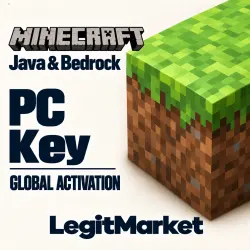
Minecraft: Java & Bedrock Key for PC + SELECT EDITION | Region GLOBAL
Important notice
Any third-party trademarks, brand names, and product names referenced on this website are used solely to identify the relevant goods/services and, where applicable, to indicate intended purpose or compatibility. No affiliation, authorization, sponsorship, or endorsement by the trademark owners is implied unless expressly stated.
About the product
🔑 PC Game Activation Key
You’ll receive your Microsoft Store game key as soon as you pay. Delivery is automatic and available 24/7.
Platform — PC running a licensed copy of Windows 10 or Windows 11.
Activation region — worldwide (Global).
🎮 How to Redeem Your Key
1. Go to https://redeem.microsoft.com
2. Sign in to the Microsoft account you want to add the game to. Double-check the email address before redeeming your key.
3. Enter your key, select “Next,” and confirm.
4. Open the Microsoft Store on your PC, sign in with the same account, and download the game from your library.
📱 If You Have a New Microsoft Account
We recommend adding a phone number to your account in advance. Microsoft may ask you to verify your account by text message. Verification texts sent to numbers with the +7 country code may be delayed or may never arrive.
↩️ Refunds and Exchanges
Under our store policy, valid digital keys cannot be returned or exchanged after purchase. Once you’ve redeemed your key, we can’t issue a refund, even if you added the game to the wrong account by mistake. Please check the platform and activation region before you buy.
 Top up
 Games
 Discounts 90%
 AI
 Windows
 Subsctiptions
 New Games
 Mobile Games