
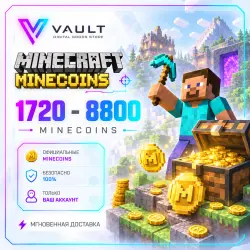
Minecraft Minecoins 1720 3500 8800 Global key | AUTO 24/7
Important notice
Any third-party trademarks, brand names, and product names referenced on this website are used solely to identify the relevant goods/services and, where applicable, to indicate intended purpose or compatibility. No affiliation, authorization, sponsorship, or endorsement by the trademark owners is implied unless expressly stated.
About the product
🟩 Minecraft Minecoins — Digital Top-Up Code
⚡ Automatic delivery 24/7
🔑 Official digital activation code
🌍 Activation region: GLOBAL
🎮 Compatible with Minecraft Bedrock Edition
🔒 No account login or password required
📦 What You Will Receive
After payment, you will receive a 25-digit activation code for the selected Minecoins amount.
In some cases, the selected amount may be delivered as several codes. The total number of Minecoins will still match your order.
🎮 Supported Platforms
The code is compatible with Minecraft Bedrock Edition on:
• PC / Windows
• Xbox
• Nintendo Switch
• Android
• iOS
❗ To use Minecoins, you must own the base version of Minecraft Bedrock Edition.
🔑 How to Redeem the Code
Method 1 — via Microsoft
1. Sign in to the Microsoft account you use for Minecraft.
2. Go to the redemption page:
https://redeem.microsoft.com/
3. Enter the 25-digit code you received.
4. Confirm the redemption.
5. Launch Minecraft Bedrock Edition and open the Marketplace.
Method 2 — via the Minecraft Website
1. Sign in to your Minecraft account.
2. Go to:
https://www.minecraft.net/ru-ru/redeem
3. Enter the code you received and confirm the redemption.
💡 Minecoins Not Showing Up Right Away?
After successful redemption, it may sometimes take 5–10 minutes for the Minecoins to appear in your balance.
If your balance has not updated:
• sign out of your account in Minecraft Launcher and sign back in;
• launch Minecraft Bedrock Edition;
• open the Marketplace and check your balance.
💡 Received Multiple Codes?
If, after redeeming the first code, the next code displays a message such as “It looks like you already own this product,” wait for the Minecoins from the previous code to be credited to your account.
Once your balance has been updated, you can redeem the next code.
✅ Refund Policy
We guarantee that the key is valid and working at the time of activation.
Digital goods and activation codes are one-time-use products. Once successfully delivered and activated, they cannot be returned or exchanged.
🛡 If there is a problem with the product
If the code you received is invalid or the issue occurred on our side, please contact us within 24 hours of purchase.
We will review your order and, if the issue is confirmed, offer a suitable solution — a replacement or a refund.
❌ Refunds are not available if:
• the code has already been successfully activated or used;
• the product was purchased by mistake or due to inattention;
• the wrong region, denomination, or product type was selected;
• the code was activated on the wrong account;
• the issue occurred because the instructions or requirements stated in the product description were not followed.
By completing the purchase, you confirm that you have read and accepted the product description and refund policy.
⚡ VAULT — digital products with fast automatic delivery 24/7.
 Top up
 Games
Games Discounts 90%
 AI
AI Windows
 Subsctiptions
 New Games
 Mobile Games