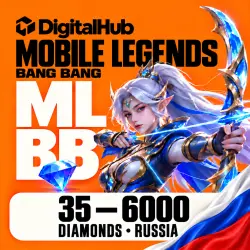
MOBILE LEGENDS | DIAMONDS RUSSIA (RU) | ID TOP-UP | AUTO 24/7
Important notice
Any third-party trademarks, brand names, and product names referenced on this website are used solely to identify the relevant goods/services and, where applicable, to indicate intended purpose or compatibility. No affiliation, authorization, sponsorship, or endorsement by the trademark owners is implied unless expressly stated.
About the product
💎 MOBILE LEGENDS: BANG BANG — RUSSIA DIAMONDS (RU)
🇷🇺 IMPORTANT! REGION RESTRICTIONS!
✅ TOP-UPS ARE AVAILABLE FOR RUSSIAN-REGION (RU) ACCOUNTS ONLY.
❌ ACCOUNTS FROM OTHER REGIONS ARE NOT SUPPORTED BY THIS PRODUCT.
⚠️ Please make sure your game account belongs to the supported region before purchasing!
🌍 For other regions, please choose the appropriate GLOBAL top-up product from our DigitalHub store.
⚡ MLBB DIAMONDS — AUTOMATIC TOP-UP 24/7
💎 Recharge your Mobile Legends: Bang Bang account quickly and easily! Get Diamonds for your favorite skins, heroes, and in-game items without sharing your account credentials.
DigitalHub — Automatic top-ups using your User ID and Zone ID.
✅ WHY CHOOSE US?
🇷🇺 RUSSIA (RU) — Top-ups for Russian-region accounts.
⚡ AUTO 24/7 — Orders are processed automatically around the clock.
💎 MULTIPLE PACKAGES — Choose from a variety of Diamond packages.
🔐 NO PASSWORD REQUIRED — Only your User ID and Zone ID are needed.
🚀 FAST DELIVERY — Automatic processing after payment.
💙 DIGITALHUB SUPPORT — Need help? Contact us through GGsel chat.
🛒 HOW TO BUY DIAMONDS?
1️⃣ Select your preferred Diamond package.
2️⃣ Enter your User ID (UID).
3️⃣ Enter your Zone ID (Server ID).
4️⃣ Double-check your account details.
5️⃣ Complete the payment and wait for the Diamonds to be credited to your game account!
✅ No login, password, or account access required.
🔎 HOW TO FIND YOUR USER ID AND ZONE ID?
Open Mobile Legends: Bang Bang.
Tap your profile avatar.
Locate your User ID and Zone ID.
Enter the numbers in the corresponding fields during checkout.
Example: 123456789 (1234)
User ID: 123456789
Zone ID: 1234
⚠️ Enter your User ID and Zone ID separately, using numbers only. Do not include spaces, brackets, or special characters.
🎁 BONUS DIAMONDS
💎 Some Diamond packages may include additional bonus Diamonds.
⚠️ First-purchase bonuses are subject to in-game promotional rules and your account's purchase history.
Please check the selected package conditions before payment.
⚠️ IMPORTANT INFORMATION
❗ This product is intended for accounts in the supported Russian region.
❗ Double-check your User ID and Zone ID before making a payment.
❗ Once Diamonds have been successfully credited to the specified account, the top-up cannot be reversed.
❗ Delivery may occasionally be delayed due to game server maintenance, high traffic, or supplier processing.
❗ If you experience any issues with your order, please contact us through GGsel chat. We will help check your order status.
💙 DIGITALHUB — LEVEL UP YOUR GAME!
Thank you for choosing DigitalHub!
⭐ We would appreciate your review after a successful top-up.
🎮 Enjoy your Diamonds, unlock amazing skins, and dominate the battlefield!
DigitalHub — Your Gaming Top-Up Store!
 Top up
 Games
 Discounts 90%
 AI
 Windows
 Subsctiptions
 New Games
 Mobile Games