
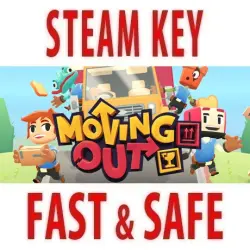
Moving Out (STEAM KEY) RU+CIS
Important notice
Any third-party trademarks, brand names, and product names referenced on this website are used solely to identify the relevant goods/services and, where applicable, to indicate intended purpose or compatibility. No affiliation, authorization, sponsorship, or endorsement by the trademark owners is implied unless expressly stated.
Edition Type: STEAM KEY / RU / UA / KZ / CIS
⚠️ ATTENTION! This key can only be activated on a Steam account registered in Russia, Ukraine, Kazakhstan, and other CIS countries.
🔹 Game Language: Russian / English
🔹 Release Date: April 28, 2020
🔹 Platform: Windows
🔹 Region: RU / UA / KZ / CIS (Russia, Ukraine, Kazakhstan, and other CIS countries)
🔹 Activation: Steam
===============================================
Moving Out is a hilarious physics-based moving simulator that will change your understanding of couch co-op gaming!
Ready to start an exciting career in the furniture world? Become a certified furniture mover and arranger and take on moving jobs across the hectic town of Packmore. Smooth Moves may not be the leader in the moving industry, but even the most dangerous and bizarre tasks are within the reach of this dedicated team of hard workers. Grow your business to incredible heights, recruit colorful characters, and save the town from a furniture disaster!
Co-op play!
Enjoy the storyline solo as an independent contractor or team up with friends. Up to four players can discuss the best way to move a sofa without leaving the couch. Put your skills and your friendship to the test!
Physics!
Idiot doors and windows standing in the way of your furniture? Destroy them with physics! Lift, throw, and smash everything to break moving records!
Chaos!
Learn the ropes in a series of increasingly dangerous and mind-blowing moves. Think you can just move a bed from point A to point B in a straight line? Not so! Forget everything you've been taught and get creative!
Adventure!
Every company starts small, but as your reputation grows, new horizons will open up. Move furniture through sleepy suburbs, wild farms, haunted houses, virtual reality—anywhere!
Characters!
New to the game? No problem! Adjust the game difficulty to suit all players! Don't wait! Grab your friends and become a moving expert in Moving Out!
===========================================
Activation
1. Download and install Steam http://steampowered.com/download/SteamInstall.msi (if not already installed)
2. Launch the Steam client
3. Create a new Steam account or log in to an existing one
4. Go to the "Games" section and select "Activate on Steam"
5. Enter the activation key you purchased
6. The game will then appear in your games list and can be installed
 Top up
 Games
Games Discounts 90%
 AI
AI Windows
 Subsctiptions
 New Games
 Mobile Games