
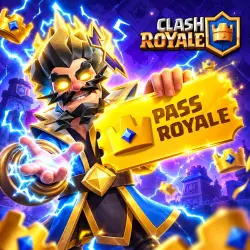
NEW PASS ROYALE | DIAMOND PASS | CLASH ROYALE | ANY REGION
Important notice
Any third-party trademarks, brand names, and product names referenced on this website are used solely to identify the relevant goods/services and, where applicable, to indicate intended purpose or compatibility. No affiliation, authorization, sponsorship, or endorsement by the trademark owners is implied unless expressly stated.
About the product
🔰 𝗪𝗘𝗟𝗖𝗢𝗠𝗘 𝗧𝗢 𝗗𝗔𝗥𝗞𝗡𝗘𝗦𝗦𝗔𝗟𝗣𝗛𝗔 𝗦𝗧𝗢𝗥𝗘! 🔥
🌍 𝗖𝗟𝗔𝗦𝗛 𝗥𝗢𝗬𝗔𝗟𝗘 𝗧𝗢𝗣-𝗨𝗣 — 𝗔𝗩𝗔𝗜𝗟𝗔𝗕𝗟𝗘 𝗪𝗢𝗥𝗟𝗗𝗪𝗜𝗗𝗘!
Purchase Gems, Special Offers, or the Season Pass quickly, securely, and hassle-free. Place your order in just a few minutes and let us handle the rest!
━━━━━━━━━━━━━━━━━━━━
🎁 𝗗𝗜𝗦𝗖𝗢𝗨𝗡𝗧 𝗖𝗢𝗗𝗘
As a thank-you for choosing our service, use the promo code DBD483A1CE to receive a discount on your order.
⚠️ 𝗜𝗠𝗣𝗢𝗥𝗧𝗔𝗡𝗧: Your game account must be connected to 𝗦𝘂𝗽𝗲𝗿𝗰𝗲𝗹𝗹 𝗜𝗗 before placing an order.
━━━━━━━━━━━━━━━━━━━━
📋 𝗛𝗢𝗪 𝗧𝗢 𝗣𝗟𝗔𝗖𝗘 𝗔𝗡 𝗢𝗥𝗗𝗘𝗥
✅ 𝗦𝗧𝗘𝗣 𝟭 — 𝗣𝗥𝗘𝗣𝗔𝗥𝗘 𝗬𝗢𝗨𝗥 𝗔𝗖𝗖𝗢𝗨𝗡𝗧 𝗜𝗡𝗙𝗢𝗥𝗠𝗔𝗧𝗜𝗢𝗡
Before making a payment, please make sure the item or special offer you want is currently available on your Clash Royale account.
You will need to provide:
📧 The email address linked to your Supercell ID.
🔐 The 6-digit verification code sent to that email.
These details are required only to verify account ownership and complete your order safely.
━━━━━━━━━━━━━━━━━━━━
💳 𝗦𝗧𝗘𝗣 𝟮 — 𝗖𝗢𝗠𝗣𝗟𝗘𝗧𝗘 𝗬𝗢𝗨𝗥 𝗣𝗔𝗬𝗠𝗘𝗡𝗧
Pay using your preferred payment method.
Once your payment is successful, proceed to the next step.
━━━━━━━━━━━━━━━━━━━━
💬 𝗦𝗧𝗘𝗣 𝟯 — 𝗦𝗘𝗡𝗗 𝗬𝗢𝗨𝗥 𝗜𝗡𝗙𝗢𝗥𝗠𝗔𝗧𝗜𝗢𝗡
After payment, send the following to our support team:
• Your Supercell ID email
𝗘𝘅𝗮𝗺𝗽𝗹𝗲: example@email.com
• Your 6-digit verification code
𝗘𝘅𝗮𝗺𝗽𝗹𝗲: 123456
After receiving your information, our operator will begin processing your order. No additional action will be required from you.
━━━━━━━━━━━━━━━━━━━━
🎉 𝗦𝗧𝗘𝗣 𝟰 — 𝗘𝗡𝗝𝗢𝗬 𝗬𝗢𝗨𝗥 𝗣𝗨𝗥𝗖𝗛𝗔𝗦𝗘
Relax while we complete the order.
Your purchased Gems, Special Offer, or Season Pass will be added to your account as soon as processing is finished.
━━━━━━━━━━━━━━━━━━━━
⏰ 𝗣𝗥𝗢𝗖𝗘𝗦𝗦𝗜𝗡𝗚 𝗛𝗢𝗨𝗥𝗦
Orders are accepted and processed every day from:
𝟭𝟬:𝟬𝟬 𝗔𝗠 𝘁𝗼 𝟭𝟭:𝟬𝟬 𝗣𝗠
𝗠𝗢𝗦𝗖𝗢𝗪 𝗧𝗜𝗠𝗘
━━━━━━━━━━━━━━━━━━━━
🔑 𝗪𝗛𝗔𝗧 𝗜𝗦 𝗧𝗛𝗘 𝗩𝗘𝗥𝗜𝗙𝗜𝗖𝗔𝗧𝗜𝗢𝗡 𝗖𝗢𝗗𝗘?
The verification code is a standard one-time security code generated by Supercell to confirm that you are the owner of the account.
It is part of the normal login process and is completely safe to use.
━━━━━━━━━━━━━━━━━━━━
📱 𝗛𝗢𝗪 𝗧𝗢 𝗚𝗘𝗧 𝗧𝗛𝗘 𝗩𝗘𝗥𝗜𝗙𝗜𝗖𝗔𝗧𝗜𝗢𝗡 𝗖𝗢𝗗𝗘
𝟭. Open Clash Royale.
𝟮. Tap the Menu button (three horizontal lines).
𝟯. Open Supercell ID → Settings.
𝟰. Select Switch Account → Continue.
𝟱. Enter the email connected to your account.
𝟲. Check your inbox for the 6-digit verification code.
𝟳. Send us both your email address and the verification code.
━━━━━━━━━━━━━━━━━━━━
🛡 𝗥𝗨𝗟𝗘𝗦 & 𝗥𝗘𝗙𝗨𝗡𝗗 𝗣𝗢𝗟𝗜𝗖𝗬
Your satisfaction is our priority.
✅ If we are unable to complete your order due to our mistake, you will receive a 𝟭𝟬𝟬% 𝗙𝗨𝗟𝗟 𝗥𝗘𝗙𝗨𝗡𝗗.
✅ If the order cannot be completed due to customer-related reasons, such as the selected offer not being available on the account, a payment reversal, or other account restrictions, 𝟴𝟬% 𝗢𝗙 𝗧𝗛𝗘 𝗣𝗔𝗬𝗠𝗘𝗡𝗧 𝗪𝗜𝗟𝗟 𝗕𝗘 𝗥𝗘𝗙𝗨𝗡𝗗𝗘𝗗.
Please make sure the desired offer is available in your game before placing an order.
━━━━━━━━━━━━━━━━━━━━
🚀 𝗥𝗘𝗔𝗗𝗬 𝗧𝗢 𝗚𝗘𝗧 𝗦𝗧𝗔𝗥𝗧𝗘𝗗?
Choose your preferred offer or Season Pass, complete your payment, send us your account details, and we'll take care of everything else.
𝗙𝗔𝗦𝗧. 𝗦𝗘𝗖𝗨𝗥𝗘. 𝗥𝗘𝗟𝗜𝗔𝗕𝗟𝗘!
 Top up
 Games
Games Discounts 90%
 AI
AI Windows
 Subsctiptions
 New Games
 Mobile Games