
Activation key Office 2024 Pro Plus | No-call phone method | LTSC
Important notice
Any third-party trademarks, brand names, and product names referenced on this website are used solely to identify the relevant goods/services and, where applicable, to indicate intended purpose or compatibility. No affiliation, authorization, sponsorship, or endorsement by the trademark owners is implied unless expressly stated.
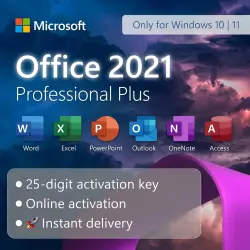
🔑 Digital key for activating Microsoft Office 2021 Pro Plus
● 25-character activation key
● Key format: XXXXX-XXXXXX-XXXXXX-XXXXXX
● No calls anywhere will be required for activation.
● Activation is retained until reinstallation; all updates are supported.
● In case of reinstallation, a new activation key will be required.
✅ Immediately after purchase, you will receive the key and simple, complete activation instructions
▶ The Microsoft Office 2021 Pro Plus software package includes:
● Word
● Excel
● Power point
● Outlook
● OneNote
● Access
🛠️ Product specifications:
● Interface language: Russian, English
● Activation region: Global (works anywhere in the world, CIS)
🟨 Important information and guarantees:
● The key is intended ONLY for the Office 2021 Pro Plus version (LTSC release).
● The download link is in the instructions with the key.
● The warranty for key activation is 14 days from the moment of purchase. Please activate the code immediately.
● If any problems arise, send a screenshot of the error to the order chat — we will promptly replace the key.
🖥️ Activation instructions.
● After installation is complete, open any Office application, such as Excel or Word.
● A window will appear asking you to accept the terms of the agreement; click “Accept.”
● In the menu that opens, in the lower left corner go to “Account.”
● Select “Change product key” and enter the purchased key. Click “Next.”
● Restart Excel or Word. The activation window will appear; choose the method: — “Activate by phone.”
● Copy the installation code or use the key combination Win + Shift + S to take a screenshot.
● Go to the website https://getcid.online
● Enter the installation code or paste the screenshot.
● Click the “Get CID” button.
● Insert the received activation code blocks into the corresponding fields of the activation window and confirm the action.
✅ Done! Your Microsoft Office package is activated!
📦 Delivery immediately after payment.
🗣️ Chat responses during store hours from 07:00 to 19:00 Moscow Time
Search tags: buy Office 2021 key, office, digital key office 2021 professional, cheap office key, word, excel, power point
 Top up
 Games
Games Discounts 90%
 AI
AI Windows
 Subsctiptions
 New Games
 Mobile Games