
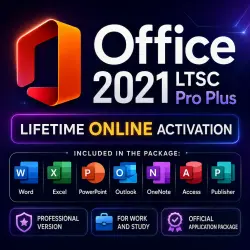
Office 2021 Pro Plus | LTSC | Activation for 1 PC | Online
Important notice
Any third-party trademarks, brand names, and product names referenced on this website are used solely to identify the relevant goods/services and, where applicable, to indicate intended purpose or compatibility. No affiliation, authorization, sponsorship, or endorsement by the trademark owners is implied unless expressly stated.
Microsoft Office Professional Plus 2021 LTSC — License Activation Key
Get Microsoft Office Professional Plus 2021 LTSC for working with documents, spreadsheets, presentations, email, and everyday office tasks. This is a classic version of Office without a subscription or monthly payments — activation is completed once.
IMPORTANT: To ensure successful activation, you must install the exact Office distribution package that will be included in the email after purchase.
What is included with your purchase:
✅ Microsoft Office Professional Plus 2021 LTSC license key
✅ Fast delivery to your email address
✅ Online activation without calling Microsoft
✅ Detailed installation and activation instructions
✅ Seller assistance if you have any questions
✅ Support in case of activation errors
Microsoft Office Professional Plus 2021 includes:
• Word — create and edit documents
• Excel — spreadsheets, calculations, and reports
• PowerPoint — presentations
• Outlook — email, calendar, and tasks
• OneNote — notes and information organization
• Access — database management
• Publisher — creation of brochures, flyers, and simple layouts
Main information:
✔ Version: Microsoft Office Professional Plus 2021 LTSC
✔ License type: electronic activation key
✔ Key format: XXXXX-XXXXX-XXXXX-XXXXX-XXXXX
✔ Activation: online
✔ Architecture: 32-bit / 64-bit
✔ Developer: Microsoft
✔ Interface language: depends on the installed Office distribution
✔ Compatible with Windows 10 / Windows 11
✔ Not a Microsoft 365 subscription
✔ Not compatible with macOS
How to activate Office:
Install Microsoft Office Professional Plus 2021 LTSC on your computer.
Open Word, Excel, or any other Office application.
Go to: File → Account.
Select “Change License” or “Activate Product”.
Enter the received key and complete online activation.
If Office is already installed but a different version is activated, you may need to uninstall the old version and install the correct Office 2021 LTSC distribution package.
Warranty and Support:
If you receive an activation error, please do not rush to leave negative feedback. Contact the seller — we will help identify the cause and explain what needs to be done.
Most activation issues are caused by an incompatible Office version, leftovers from a previous installation, an incorrect distribution package, or a mistake when entering the key.
Customers also often purchase:
Windows 10 / Windows 11 Pro and Home — electronic activation keys for your device.
 Top up
 Games
Games Discounts 90%
 AI
AI Mobile Games
 Game Pass
 New Games
 Nintendo