
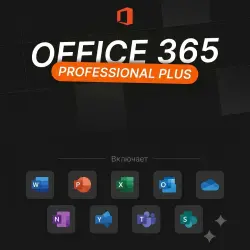
Office 365 for 5 devices (Windows and Mac) 5TB 1 year
Important notice
Any third-party trademarks, brand names, and product names referenced on this website are used solely to identify the relevant goods/services and, where applicable, to indicate intended purpose or compatibility. No affiliation, authorization, sponsorship, or endorsement by the trademark owners is implied unless expressly stated.
Office 365 E5 Features and Usage Instructions
Getting Started:
📌 Sign in: portal.office.com 💻
📌 Secure Access: Password change required upon first sign-in 🔒
📌 Multi-Device Support: Install on up to 5 Windows PCs, 5 tablets, or 5 smartphones 📱💻
📌 Important: Before installing, uninstall all previous versions of Office from your device ❗
📌 License Duration: 365 days ⏳
📌 Supported Devices: 5 🖥️
📌 Interface Languages: All languages supported 🌍
📌 System Compatibility: 32-bit and 64-bit 🖥️
📌 Regional Availability: Worldwide 🌎
Core Applications (Microsoft Office 365) E5):
✍️ Word: Write, edit, and collaborate in real time
📊 Excel: Create budgets, perform calculations, and manage data
🎤 PowerPoint: Create and share professional presentations
📧 Outlook: Manage email, plan events, and organize tasks
📝 OneNote: Store all your notes and ideas digitally
☁️ OneDrive: Securely access your files from anywhere with 5 TB of storage (for sharing and storing, not for backup) ❗
Additional apps (free with Office 365):
🤖 Copilot: An AI-powered assistant to speed up workflows
📅 Bookings: Easily manage meetings
🎬 Clipchamp: Create and edit videos
🔗 Connections: Access personalized tools and resources
👥 Engage: Collaborate with colleagues on projects
📑 Forms: Create surveys and quizzes with real-time tracking
📈 Analytics: Boost productivity with Microsoft Viva Insights
👥 People: Organize and manage contacts
📚 Learning: Continuous learning with Viva Learning
🗂️ Lists: Create, share, and track data
🔄 Cycle: Facilitate teamwork
📋 Planner: Organize tasks and track progress
📱 Power Apps: Build data-driven apps
🔄 Power Automate: Efficiently automate workflows
📊 Power BI: Create interactive dashboards
🌐 Power Pages: Create business websites with minimal code
📤 SharePoint: Share content and collaborate
🎥 Stream: Share Video content
🌟 Sway: Create interactive reports and presentations
📅 Calendar: Plan and manage your time
👨💻 Teams: Chat, meet, and collaborate
✅ Tasks: Track tasks and organize lists
📊 Visio: Visually simplify complex information
💼 Viva: Improve your workflows with Viva apps
🖌️ Whiteboard: Collaborate free-form on the canvas
Supported operating systems:
🖥️ Windows
📱 Android
🍏 iOS and macOS (❗Make sure you don't have a previous version of Office installed)
License information:
For personal use only
Upon purchase, you'll receive a Microsoft Office 365 ProPlus account for 5 PCs + 5 TB of OneDrive access
Sign-in information includes your username and password 🔑
Product type: Office 365 E5 (Microsoft Dev Edition) ✅
 Top up
 Games
Games Discounts 90%
 AI
AI Windows
 Subsctiptions
 New Games
 Mobile Games