
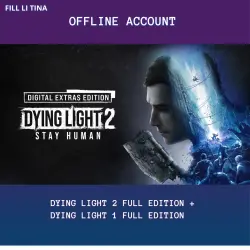
Offline account: Dying Light 2: Stay Human Digital Extras Edition + Dying Light 1 Full Edition
Important notice
Any third-party trademarks, brand names, and product names referenced on this website are used solely to identify the relevant goods/services and, where applicable, to indicate intended purpose or compatibility. No affiliation, authorization, sponsorship, or endorsement by the trademark owners is implied unless expressly stated.
Hello! This is an offline access to Dying Light 2 and Dying Light 1. You are buying access to a shared Steam account with the games already purchased, not a key.
Attention! This is for single-player offline mode only. Online play is not allowed.
📌 What you get
Login and password to the Steam account with the games.
Full editions of Dying Light 2 and Dying Light 1.
Unlimited single-player gameplay.
Saves are stored locally on your computer.
📌 How to get access
Pay for the order.
A chat with the seller will open.
The seller will send you the login, password.
Use these details to log in to Steam.
📌 Activation instructions
Download and install Steam if you haven't already.
Log in using the provided login and password.
Check the "Remember me" box on the login screen.
If a Steam Guard code is required, the bot will send it in the chat.
Open your Steam library, find Dying Light 2 or Dying Light 1, and install the game.
Wait for the download to complete.
Launch the game once in online mode. Wait until the main menu appears, then exit.
This is important so Steam remembers your computer.
After that, switch Steam to offline mode.
To do this, click Steam in the top-left corner, then select Go Offline.
Launch the game again. It will now work without an internet connection.
⚠️ Important rules
Changing the account password or email is prohibited.
Going online is prohibited. This will reset the activation for all buyers.
Sharing access with third parties is prohibited.
Do not reinstall Windows or change your motherboard or graphics card. This will change your computer's "fingerprint" and Steam will require a new login code, which you will not receive.
If the game doesn't start in offline mode, launch it once in online mode and switch back to offline mode.
📌 Refund policy
Refunds are not possible if the item has been delivered and matches the description, and the game runs on your computer. The only exception is technical incompatibility not related to your hardware.
If you have any questions, feel free to message in the chat. The seller will get back to you as soon as possible.
 Top up
 Games
Games Discounts 90%
 AI
AI Mobile Games
 Software
 New Games
 Subsctiptions