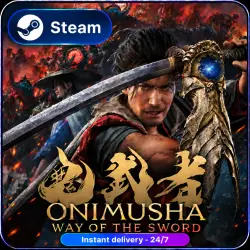
Onimusha: Way of the Sword - Premium Deluxe Edition | ALL DLC & BONUSES | STEAM | FOR PC
Important notice
Any third-party trademarks, brand names, and product names referenced on this website are used solely to identify the relevant goods/services and, where applicable, to indicate intended purpose or compatibility. No affiliation, authorization, sponsorship, or endorsement by the trademark owners is implied unless expressly stated.
✅ KEY ADVANTAGES
🌍 No regional restrictions — the game can be launched in any country, including Russia, Ukraine, and other regions worldwide.
After purchase, you will receive:
✔️ A Steam account with the game for offline play;
✔️ Local storage of your game progress on your computer;
✔️ Independent login without the seller’s assistance;
✔️ Activation without third-party programs or applications;
✔️ The ability to download available game updates.
⭐️ PRODUCT CONTENTS
🎮 1) Steam account with ONIMUSHA: WAY OF THE SWORD PREMIUM DELUXE
The edition includes all listed DLC and bonus content:
☑️ Amulet “Lady Oni”;
☑️ Amulet “Little Dancer”;
☑️ Amulet “Mentor”;
☑️ Sword Skin “Bamboo and Panda”;
☑️ Sword Skin “Planed Paddle”;
☑️ Sword Skin “Raizan”;
☑️ Sword Skin “Enryuu”;
☑️ Haori “Hellfire”;
☑️ Haori “Moonlight”;
☑️ Haori “Soaring Dragon”;
☑️ Red Armor for Musashi;
☑️ Oni Gauntlet “Crimson Lotus”;
☑️ Okuni Outfit “Dance of Flowers”;
☑️ Okuni Outfit “Dance of Goldfish”;
☑️ Okuni Outfit “Dance of the Oni”;
☑️ Lady Oni Outfit “Call of the Birds”;
☑️ Lady Oni Outfit “Snow Camellia”;
☑️ Lady Oni Outfit “Elegance”;
☑️ A digital mini-soundtrack available in-game.
🎁 PRE-ORDER BONUSES
☑️ Amulet “Komainu”;
☑️ Amulet “White Monkey”;
☑️ Sword Skin “Sealed Curse”;
☑️ Sword Skin “White Lion”.
🎮 2) Detailed Launch Instructions
Procedure:
1. Log in to Steam using the provided account details.
2. Download the game from the account library.
3. While connected to the internet, launch the game and wait for the main menu to appear.
4. Close the game and switch Steam to Offline Mode — a detailed guide is included.
5. Launch the game and enjoy playing.
✅ ADDITIONAL INFORMATION
✔️ Switching between the provided account and your personal account does not require requesting the code again — you will be able to return to the game independently;
✔️ Assistance is provided with resolving any technical issues that may arise;
✔️ No third-party applications are required for activation;
✔️ You may update Windows and replace computer components;
✔️ For the game to work correctly, you must carefully follow the included instructions and comply with all the requirements specified in them.
 Top up
 Games
Games Discounts 90%
 AI
AI Windows
 Subsctiptions
 New Games
 Mobile Games