
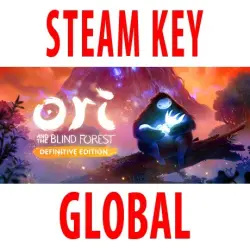
Ori and the Blind Forest - Definitive Edition (STEAM KEY) GLOBAL
Important notice
Any third-party trademarks, brand names, and product names referenced on this website are used solely to identify the relevant goods/services and, where applicable, to indicate intended purpose or compatibility. No affiliation, authorization, sponsorship, or endorsement by the trademark owners is implied unless expressly stated.
Edition Type: STEAM KEY / RUSSIA + WORLD
🌎 This edition has no region restrictions and can be activated anywhere in the world.
🔹 Game Language: Russian (subtitles) / English
🔹 Release Date: April 27, 2016
🔹 Platform: Windows
🔹 Region: Region Free (any country, unlimited)
🔹 Activation: Steam
==============================================
NEW FEATURES IN THE DEFINITIVE EDITION:
• Tons of new and additional content: new areas, secrets, abilities, storylines, difficulty levels, as well as full access to previously completed areas, and much more!
• Discover Naru's past in two completely new areas.
• Master two new abilities: Speed Mode and Light Burst.
• Discover new secrets and explore Nibel even faster by teleporting between Spirit Wells.
The forest of Nibel is dying. A violent storm has struck its very heart, and now its fate depends on whether a young hero named Ori can find the courage to challenge a terrible enemy. Ori and the Blind Forest, a breathtakingly beautiful platformer for Xbox One from Moon Studios, tells the story of a young orphan destined to become a hero. Hand-painted landscapes, meticulously animated character movements, orchestral music, and dozens of new features in the Definitive Edition all serve as the backdrop for a heartfelt story of love, sacrifice, and the hope that resides within each of us.
========================================
Activation
1. Download and install the Steam app from https://store.steampowered.com (if you haven't already).
2. Create a new Steam account or sign in to an existing one.
3. Go to the "Games" section and select "Activate on Steam."
4. Enter the activation key you purchased.
5. The game will then appear in the app library and can be installed.
 Top up
 Games
Games Discounts 90%
 AI
AI Windows
 Subsctiptions
 New Games
 Mobile Games