
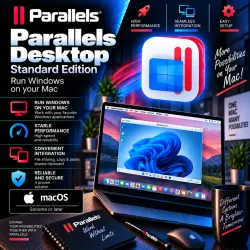
Parallels Desktop 27 Standard certificate
Important notice
Any third-party trademarks, brand names, and product names referenced on this website are used solely to identify the relevant goods/services and, where applicable, to indicate intended purpose or compatibility. No affiliation, authorization, sponsorship, or endorsement by the trademark owners is implied unless expressly stated.
💻 Parallels Desktop 27 Standard Edition — LIFETIME LICENSE
━━━━━━━━━━━━━━━━━━
🚨 PLEASE READ THE ACTIVATION INSTRUCTIONS BEFORE PURCHASING!
⚠️ The software is activated using a **license manager certificate**. Be sure to watch the video instructions before buying:
🎥 INSTRUCTIONS:
https://rutube.ru/video/private/9030c26cabf04800dcef3bbf2c69bc82/?r=wd&p=y3XPM52DgtM_GIe7XXgL3w
━━━━━━━━━━━━━━━━━━
📦 WHAT YOU GET
✅ Parallels Desktop 27 Standard Edition
♾️ Lifetime activation
📄 Activation certificate
📖 Detailed activation instructions
⚡ Instant automated delivery 24/7
🍏 For macOS Sonoma and later
⚠️ Activation must be performed strictly according to the provided instructions.
━━━━━━━━━━━━━━━━━━
🔑 LICENSE FEATURES
♾️ Nominally a lifetime license
💻 Activation is for a single device
❌ TRANSFER TO ANOTHER DEVICE IS NOT SUPPORTED
👤 NOT LINKED TO YOUR PARALLELS ACCOUNT
🔄 Updates supported only within the current edition/release
🧰 Parallels Toolbox is NOT included in the license
⚠️ BEFORE UPDATING PARALLELS, YOU MUST CONTACT US TO OBTAIN A NEW CERTIFICATE!
━━━━━━━━━━━━━━━━━━
🛠️ HOW ACTIVATION WORKS
1️⃣ You receive the product automatically after payment. 2️⃣ Be sure to open and study the instructions.
3️⃣ Download the original Parallels Desktop installer.
4️⃣ Install the program on your Mac.
5️⃣ Follow the provided instructions precisely.
6️⃣ Activation is performed using a license manager certificate.
7️⃣ Once successfully activated, you can use Parallels Desktop.
⚠️ Do not skip any steps in the instructions or alter the activation method yourself.
━━━━━━━━━━━━━━━━━━
🍏 SYSTEM REQUIREMENTS
💻 Device: Compatible Mac computer
🍎 macOS: Sonoma or later
⚠️ Before purchasing, ensure your Mac and installed macOS version meet the requirements for the specific version of Parallels Desktop.
━━━━━━━━━━━━━━━━━━
🇷🇺 IMPORTANT FOR USERS IN RUSSIA
⚠️ Due to regional and sanctions-related restrictions, standard access to certain services may be limited.
🛠️ To ensure proper downloading and activation, users in Russia **must use specific software and appropriate connection settings**.
━━━━━━━━━━━━━━━━━━
🚨 IF A PIRATED VERSION WAS PREVIOUSLY INSTALLED
⚠️ If a cracked, modified, or unofficially activated version of Parallels Desktop was previously used on your Mac, residual files may interfere with proper activation.
🧹 In this case, the following may be required:
🔹 complete removal of the previous version;
🔹 deep system cleanup to remove residual files;
🔹 removal of old activation components;
🔹 in some cases, reinstalling macOS.
🛠️ SOLUTIONS:
✅ Order our system cleanup service
✅ Perform a full cleanup yourself
✅ Reinstall macOS if necessary
⚠️ We are not responsible for the state of the buyer's operating system, previously installed third-party software, or any related issues. ━━━━━━━━━━━━━━━━━━
🛡️ WARRANTY TERMS
✅ The warranty covers the functionality of the provided product.
🔄 If the provided product is found to be non-functional due to an issue on our end, a replacement will be issued.
❌ NO REFUNDS — ONLY REPLACEMENT OF A NON-FUNCTIONAL PRODUCT WITH A FUNCTIONAL ONE UNDER WARRANTY TERMS.
⚠️ Issues caused by the state of macOS, remnants of previous activators, pirated versions, third-party software, or failure to follow instructions do not constitute a defect in the provided product.
━━━━━━━━━━━━━━━━━━
❗ IMPORTANT: BEFORE PURCHASING
📌 Watch the activation video tutorial.
📌 Ensure you are comfortable with the activation method using a license manager certificate.
📌 Note that the license cannot be transferred to another device.
📌 Note that the license is not linked to your personal Parallels account.
📌 Verify the compatibility of your Mac and macOS version.
📌 If a pirated version was previously used, be prepared for a potential deep system cleanup.
💬 IF YOU HAVE QUESTIONS — BE SURE TO ASK THE SELLER BEFORE PURCHASING! ━━━━━━━━━━━━━━━━━━
📥 DOWNLOAD AND INSTRUCTIONS
🌐 Official download website:
https://www.parallels.com
🎥 Video instructions for activation:
https://rutube.ru/video/private/9030c26cabf04800dcef3bbf2c69bc82/?r=wd&p=y3XPM52DgtM_GIe7XXgL3w
━━━━━━━━━━━━━━━━━━
🕐 DELIVERY AND SUPPORT
⚡ Automated product delivery — 24/7
💬 Support service — daily from 09:00 to 22:00 Moscow time (GMT+3)
 Top up
 Games
Games Discounts 90%
 AI
AI Windows
 Subsctiptions
 New Games
 Mobile Games