
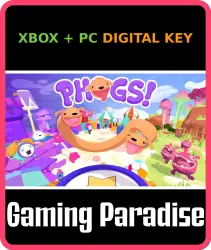
PHOGS! Xbox Series X|S + One + PC (Microsoft Store) Key
Important notice
Any third-party trademarks, brand names, and product names referenced on this website are used solely to identify the relevant goods/services and, where applicable, to indicate intended purpose or compatibility. No affiliation, authorization, sponsorship, or endorsement by the trademark owners is implied unless expressly stated.
About the product
🌎 Region: selected in the region option below (the price depends on the region)
🔑 Type: Key
🖥 Platform:
✅Xbox Series S|X🎮🔥 OPTIMIZED
✅Xbox One🎮💥
✅PC WINDOWS MICROSOFT STORE🖥️🖱️
In PHOGS! you play as a duo of dogs on a captivating, puzzle-filled adventure. Linked by a stretchy belly, you’ll need to bark, bite and bounce your way through obstacles set across the themed worlds of Food, Sleep and Play, in co-op or single-player.
Forage through Food World, teeming with tasty treats. From hot buttered toast to chopped celery... even a river of chocolate!
Stroll through Sleep World, complete with teddy bears, cushions and quilts, all nestled in the glow of the soothing night-light.
Pounce through the crazy toybox of Play World, exploring a beach amusement park, a retro arcade, and everything in between. Woof!
Supporting single-player and shared-controller gameplay, plus local and online co-op, Red and Blue are always ready to play!
⚡️ AUTOMATIC DELIVERY 24/7
After payment the key appears instantly on the order page.
ℹ️ Important Notice:
The game stays on your Microsoft account forever. To activate, your IP must match the key's region — turn on special software (IP change) for that country. You do NOT need to change your account region. After activation no special software is needed — play from any location.
⚠️ Instructions:
1. Turn on special software (IP change) for the key's country
2. Go to xbox.com/en-US/redeem, click Redeem Now and enter the key
3. The error "This code can't be redeemed. It was purchased in a different region from your account" means your IP doesn't match the key's region — switch to the correct country and try again
4. If the game doesn't appear in your library after activation, switch your console region to the key's region, open the Store: the button will say "install" instead of "buy"
🛡 Guarantee:
Licensed key purchased directly from Microsoft Store. Full support in the order chat. Don't want to activate yourself or having trouble? Order our activation service: https://ggsel.net/catalog/product/102610323
↩️ About returns:
No refund once the code has been revealed — you already know the code. No refund for "bought by mistake / changed my mind / bought by accident".
 Top up
 Games
Games Discounts 90%
 AI
AI Mobile Games
 Game Pass
 New Games
 Subsctiptions