
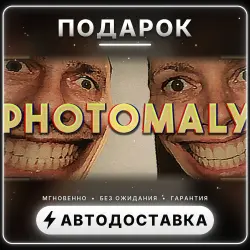
Photomaly | Steam Gift | Worldwide | Auto-delivery 24/7
Important notice
Any third-party trademarks, brand names, and product names referenced on this website are used solely to identify the relevant goods/services and, where applicable, to indicate intended purpose or compatibility. No affiliation, authorization, sponsorship, or endorsement by the trademark owners is implied unless expressly stated.
About the product
🎁 Photomaly — Steam Gift
🔗 Steam store page: store.steampowered.com/app/4286120/
━━━━━━━━━━━━━━━━━━━━
✅ WHAT YOU GET
• A licensed game in your own Steam library — an official Steam gift
• Forever: no rentals, shared accounts or activation keys
• Automatic delivery 24/7 — usually within a few minutes, sometimes up to 30 minutes
━━━━━━━━━━━━━━━━━━━━
🌍 BEFORE PAYMENT
1. Check your account region: store.steampowered.com/account (the «Country» line).
2. Choose that region in the list on the product page — each region has its own price.
«CIS (except Russia)» is: Armenia, Azerbaijan, Belarus, Georgia, Kyrgyzstan, Moldova, Tajikistan, Turkmenistan, Uzbekistan.
3. Make sure the game is not on your account yet: an owned game cannot be gifted.
━━━━━━━━━━━━━━━━━━━━
📩 HOW TO RECEIVE
1. After payment open the link to the delivery page.
2. In Steam: Friends → Add a Friend → copy your Quick Invite link.
It looks like this: s.team/p/abcd-efgh (a numeric Friend Code will not work).
3. Paste the link on the delivery page and press «Get».
4. The gift arrives in Steam: if you see a gift notification, accept it — the game will be in your library.
━━━━━━━━━━━━━━━━━━━━
❗ IMPORTANT
• Only an account of the selected region can accept the gift. Wrong region — no refund or replacement.
• Take the invite link from the account that should receive the game.
• Questions — write in the order chat.
 Top up
 Games
Games Discounts 90%
 AI
AI Windows
 Subsctiptions
 New Games
 Mobile Games