
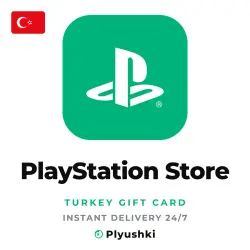
PlayStation Store (Turkey), top-up card
Important notice
Any third-party trademarks, brand names, and product names referenced on this website are used solely to identify the relevant goods/services and, where applicable, to indicate intended purpose or compatibility. No affiliation, authorization, sponsorship, or endorsement by the trademark owners is implied unless expressly stated.
About the product
🕒 WE WORK 24/7
⚡ FAST DELIVERY: THE CODE ARRIVES AUTOMATICALLY RIGHT AFTER PAYMENT
🎮 PLAYSTATION STORE GIFT CARD (TURKEY)
A top-up code for the PlayStation Network (PSN) wallet of a Turkish account. The face value in Turkish lira (₺) is credited to the wallet in full. Spend it on games and add-ons in PlayStation Store.
✅ WHO IT FITS
✅ A PSN account with the region Turkey only. An account of another country will not accept the code.
✅ An adult account only: a PSN child account has no wallet.
✅ No account access needed: we never ask for a login or password.
📝 HOW TO REDEEM
1. Sign in to PlayStation Store: in a browser, on PS5, on PS4 or in the PlayStation App.
2. Open the code entry:
• browser — avatar at the top → Redeem Code (in the Turkish menu — "Kodları Girin");
• PS5 — Triangle button → "…" → Redeem Code;
• PS4 — bottom of the side menu → Redeem Codes;
• PlayStation App — PS Store icon → menu on the right → Redeem Code.
3. Enter the 12-character code — the amount lands in the PSN wallet.
❓ FAQ
• Where is my code? — In your order on this marketplace: open the order, the code is there.
• It says the region does not match. — The account is not Turkish. Sony does not let you change the country of an existing account, so check it BEFORE you buy: on the PlayStation website — Account Management → Your Information → Residential Address.
• The region is right, but the code is not accepted. — The wallet may have hit Sony's limit. Spend part of the balance and enter the code again.
• Can the balance go to another account? — No, Sony does not move funds between accounts.
• The code is single-use: once entered, it is spent.
🎥 IF THE CODE IS NOT ACCEPTED
Write in the order chat. Claims are accepted only with a single-take video, no cuts: opening the order, copying the code and entering it in PlayStation Store.
💬 Any question — in the order chat, we answer around the clock.
 Top up
 Games
Games Discounts 90%
 AI
AI Windows
 Subsctiptions
 New Games
 Mobile Games