
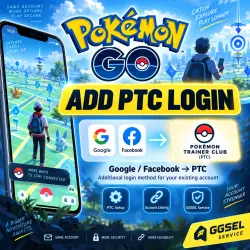
Pokémon GO | Add PTC Login to a Google / Facebook Account
Important notice
Any third-party trademarks, brand names, and product names referenced on this website are used solely to identify the relevant goods/services and, where applicable, to indicate intended purpose or compatibility. No affiliation, authorization, sponsorship, or endorsement by the trademark owners is implied unless expressly stated.
About the product
I will add Pokémon Trainer Club (PTC) as an additional login method for your existing Pokémon GO account.
If you currently log in to Pokémon GO only through Google or Facebook, I can create a separate PTC account for you and link it as an additional login method.
After the service is completed, you will be able to use PTC to log in to the same game account.
To complete the order, I will need:
• Your current Pokémon GO login method — Google / Facebook
• Login or email address for the current login method
• The information required to sign in
• Your preferred username for the new PTC account
• Your preferred password for the new PTC account
• An email address that has not previously been used for PTC / Pokémon GO
• Country for PTC registration
• Date of birth for creating the PTC profile
How the order works:
1️⃣ After payment, send the required information in the GGSEL order chat.
2️⃣ I will log in to your existing Pokémon GO account.
3️⃣ I will create a new Pokémon Trainer Club account using the details you provide.
4️⃣ I will link the PTC account to your current Pokémon GO account.
5️⃣ I will check that the additional login method has been connected successfully.
6️⃣ Once the service is completed, I will notify you in the chat.
⚠️ Important: while the order is being processed, please do not log in to Pokémon GO from another device.
🔐 After the order is completed, you can change the PTC password and the login details for your current sign-in method yourself.
Result: your game progress, Pokémon, and items remain on the same account — you simply get an additional login method through PTC.
 Top up
 Games
Games Discounts 90%
 AI
AI Windows
 Subsctiptions
 New Games
 Mobile Games