BUY GAMES | TOP UP WALLET PSN UKRAINE
Important notice
Any third-party trademarks, brand names, and product names referenced on this website are used solely to identify the relevant goods/services and, where applicable, to indicate intended purpose or compatibility. No affiliation, authorization, sponsorship, or endorsement by the trademark owners is implied unless expressly stated.
About the product
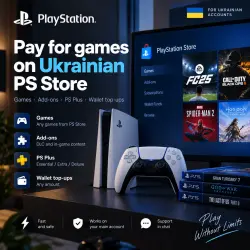
I will help you in buying any PS Store games/DLCs for Ukrainian profile.
✅ Everything game you buy with your Ukrainian profile will be available on your Russian profile.
🎮 Purchase process:
⁃ Add the games you want to buy to your Ukrainian profile cart (If you need a PS Plus subscription - there is a separate ad in the profile, see the link below), if you want to buy the game by pre-order - just tell me the name in the chat.
⁃ Pay the required amount UAH and enter your profile details.
⁃ After payment, you will receive a unique code - you need to send it to me to verify the payment.
⁃ After my answer, I ask you to stay in touch so that you can promptly confirm the entry by mail or send your backup code in advance.
- You must enable two-step authentication on your Ukrainian profile (instruction: https://www.playstation.com/ru-ru/support/account/2sv-psn-login/) and send a one-time backup code (Security ➡️ Backup codes) to enter account.
▪️How do I turn on 2-Step Verification?
1. Select Settings > Account management > Account details > Security > 2-step verification.
2. Select Activate to enable 2-Step Verification (2SV).
3. Choose how you want to receive the code via SMS
❕When you turn on 2fa using SMS, you can use the phone number of any country.
▪️ Where can I find backup codes?
There is a section with backup codes in the console menu and in the web version of your personal account: “Settings” > “Users and accounts” > “Security” > “Backup codes”.
⏰ We work from 10:00 to 23:00 GMT+3 (Moscow). Force majeure is possible. If you bought outside of this time, please wait.
If any problems occur, a refund of 80% of the amount paid is made, unless the problems are on our part. If you have any doubts, ask a question through the button on this page or through our contacts.
 Top up
 Games
Games Discounts 90%
 AI
AI Windows
 Subsctiptions
 New Games
 Mobile Games