
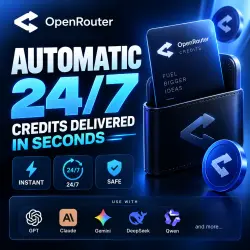
OpenRouter Balance Top Up | AUTO DELIVERY 24/7 | No Login/API Key
Important notice
Any third-party trademarks, brand names, and product names referenced on this website are used solely to identify the relevant goods/services and, where applicable, to indicate intended purpose or compatibility. No affiliation, authorization, sponsorship, or endorsement by the trademark owners is implied unless expressly stated.
About the product
🚀 AUTO DELIVERY 24/7 — FULLY AUTOMATIC
Top up your OpenRouter credits quickly and automatically.
No account login, password, or API key required.
💰 Minimum top-up: $10
🔹 HOW TO TOP UP
1 - Open your OpenRouter Credits page.
2 - Click “Use Crypto”.
3 - Enter your required credit amount — minimum $10.
4 - Click “Purchase”.
5 - Copy the payment-page link that opens.
6 - Paste the link into the order details.
❗ The amount in your payment link must exactly match the amount you purchased from us.
✨ WHAT YOU GET
✓ Automatic processing 24/7
✓ Fast balance top-up
✓ No login or password required
✓ No API key required
✓ Top-up through the official OpenRouter payment flow
✓ Credits can be used with GPT, Claude, Gemini, DeepSeek, Qwen and other models available on OpenRouter
🔔 IMPORTANT
Please make sure you submit the correct payment link and that its amount matches your order.
Once a top-up has been successfully completed, it cannot be cancelled.
🔄 REFUND POLICY
If a refund is requested due to a buyer-side error, such as submitting an incorrect payment link, selecting an incorrect amount, or not following the instructions, a 25% fee will be deducted from the refund.
If the problem is caused by our service, no deduction applies.
⚠️ PLEASE READ THE INSTRUCTIONS CAREFULLY BEFORE PLACING YOUR ORDER.
 Top up
 Games
Games Discounts 90%
 AI
AI Windows
 Subsctiptions
 New Games
 Mobile Games