
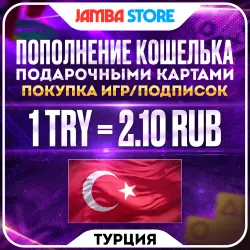
TOP-UP PSN TURKEY · PURCHASING GAMES/SUBSCRIPTIONS · PS STORE TRY
Important notice
Any third-party trademarks, brand names, and product names referenced on this website are used solely to identify the relevant goods/services and, where applicable, to indicate intended purpose or compatibility. No affiliation, authorization, sponsorship, or endorsement by the trademark owners is implied unless expressly stated.
About the product
🕐 Our working hours are from 09:00 to 21:00 Moscow time.
──────────────────────
The amount in Turkish lira must be a multiple of 250 lira
Example of correct amounts: 250, 500, 750, 1250, 2750 ✅
Example of not correct amounts: 260, 580, 600, 1244, 1400 ❌
---------------------------------------
❗ You can top up your PSN wallet with amounts ranging from 250 to 18,000 TRY.
──────────────────────
🎁 *Topping up with a gift card:
👉 If you are topping up with a gift card, you do NOT need to provide your account details.
---------------------------------------
Topping up is only possible in multiples of 250 TL and is done as follows:
▫️Inform us in the chat that you have paid for your order and are waiting for the code;
▫️The manager will send you a gift code and instructions on how to top up your account wallet balance with the ordered amount.
---------------------------------------
ℹ️The gift card is single-use and is automatically blocked after use.
---------------------------------------
❗You can spend the balance from gift cards on any services in the PS Store (games, add-ons, currency donations, etc.), except for purchasing subscriptions. If you do not live in Turkey, you will not be able to subscribe. Therefore, to purchase a subscription for your account, select “Product type: PS Plus/EA Access”.
──────────────────────
🛒 HOW IS THE ORDER FOR PURCHASING GAMES/TOP-UPS/PS PLUS PROCESSED?
1 – Enter the price of the game/add-on/subscription in Turkish lira (TL) in the “I will receive TL” field, and also fill in the field with the name of the desired content (game, subscription, or add-on) or write “Top-up”;
2 – Make the payment, after which you will be redirected to the order page;
3 – Provide your PSN account details in the chat:
◾ Login (Email)
◾ Password
◾ Backup code or 2FA
---------------------------------------
✔️ The manager will log into your profile and top up or pay for the desired item.
---------------------------------------
Example:
Login - lovegames@gmail.com
Password - Qwerty123
Authorization codes - fhrtW4, JhtS32
──────────────────────
❗If the game's discount in the PS Store ends, for example, “January 31 at 2:00 a.m. Moscow time,” and you make a payment for the edition outside of the store's working hours, “January 30 at 11:00 p.m. Moscow time,” then the price you paid will no longer be valid! You will be required to pay the difference, or in this case, a refund will be issued with a 10% deduction from the amount paid.
──────────────────────
By purchasing this item, you automatically agree to the information listed in the description and additional details. Returns for reasons such as “I didn't get what I wanted; I changed my mind; I'm in a different region, etc.” are only possible with a 20% commission deduction from the order total. Once you have purchased a game, add-on, or account subscription, returns are not possible.
---------------------------------------
If you top up your balance with an amount that is not a multiple of 250 liras, your balance will be topped up to the nearest lower multiple. Any remaining unused funds may be refunded, subject to a 20% fee.

![[US] USA Apple ID • 6 Months Old • Solo Access • App Store Ready • No 2FA](https://img.ggsel.net/102276701/original/250x250/2276700-1642279-7b85550736b6dbc88c01c1c4c7b28864.webp)