
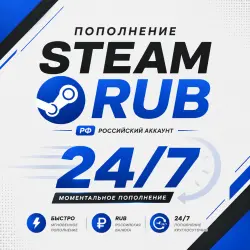
TOP‑UP RUB RUB STEAM 24/7
Important notice
Any third-party trademarks, brand names, and product names referenced on this website are used solely to identify the relevant goods/services and, where applicable, to indicate intended purpose or compatibility. No affiliation, authorization, sponsorship, or endorsement by the trademark owners is implied unless expressly stated.
About the product
🔥 STEAM RUB REPLENISHMENT — FAST, CONVENIENT, AND 24/7!
✅ Replenishment Terms
🌍 To activate the replenishment, the account region must be Russia.
💳 Available replenishment amount: from 50 to 5,000 RUB.
🚀 Replenishment is carried out automatically and 24/7.
⚡ After successful payment, order processing usually takes about 5 seconds.
📌 How to Replenish Steam
1️⃣ Enter your Steam login in the appropriate order field.
2️⃣ Select the required top‑up amount.
3️⃣ Click “Buy”.
4️⃣ Choose a convenient payment method and pay for the order.
5️⃣ You will be redirected to the delivery page; after that, your wallet will be topped up automatically.
❗ IMPORTANT BEFORE MAKING A PURCHASE
🔴 Check the Steam login before making a payment. If the top‑up was successfully sent to an incorrectly specified login, a refund is not possible.
🔴 The account region must meet the CIS requirements. For accounts with a different region, a refund for the completed top‑up is not provided.
🔴 If your account belongs to the Crimea / DPR regions /
 Top up
 Games
Games Discounts 90%
 AI
AI Windows
 Subsctiptions
 New Games
 Mobile Games