
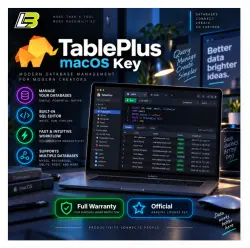
TablePlus macOS Key Lifetime
Important notice
Any third-party trademarks, brand names, and product names referenced on this website are used solely to identify the relevant goods/services and, where applicable, to indicate intended purpose or compatibility. No affiliation, authorization, sponsorship, or endorsement by the trademark owners is implied unless expressly stated.
About the product
🗄️ TablePlus for macOS – Lifetime License
Manage multiple databases from one clean desktop application with TablePlus for Mac.
Designed for developers, engineers, and database professionals who want a faster way to browse data, edit tables, run queries, and manage database structures.
━━━━━━━━━━━━━━━━━━━━━━
🔑 License Options
✅ Lifetime TablePlus license for macOS
✅ License key provided after purchase
✅ 1 year of official software updates
✅ macOS compatible
Standard option:
• License supplied through the seller affiliate account
Personal email option:
• License linked to your own email address
• Available under selected pricing options
Example key format:
xxxxx-xxxxx-xxxxx-xxxxx-xxxxx
━━━━━━━━━━━━━━━━━━━━━━
⚡ Quick Activation
Getting started takes only a few steps:
1️⃣ Download and install TablePlus
2️⃣ Launch the application
3️⃣ Open the license activation section
4️⃣ Enter your provided key
5️⃣ Finish activation and start using TablePlus
━━━━━━━━━━━━━━━━━━━━━━
💻 What You Can Do With TablePlus
🔹 Connect to multiple database systems
🔹 Browse and edit database records
🔹 Run SQL queries
🔹 Work across several tables at once
🔹 Modify table structures
🔹 Manage indexes and columns
🔹 Organize database work through a visual macOS interface
━━━━━━━━━━━━━━━━━━━━━━
🛠️ Database Management Features
TablePlus gives you tools for common database tasks, including:
✔ Add new columns
✔ Remove existing columns
✔ Edit table structures
✔ Manage indexes
✔ Open multiple queries
✔ Use split-window workflows
✔ Review and modify stored data
━━━━━━━━━━━━━━━━━━━━━━
🗃️ Supported Database Systems
TablePlus works with many popular databases, including:
✔ MySQL
✔ PostgreSQL
✔ SQLite
✔ MariaDB
✔ Microsoft SQL Server
✔ Other supported database platforms
━━━━━━━━━━━━━━━━━━━━━━
🆓 Free vs Licensed Version
TablePlus offers a free edition with basic database functions.
The paid license removes free-edition restrictions and provides access to additional features and customization options.
━━━━━━━━━━━━━━━━━━━━━━
🍎 Built for Mac Users
TablePlus provides a lightweight macOS interface focused on speed and simple database navigation.
Suitable for:
👨💻 Software developers
🗄️ Database administrators
🧑💻 Backend engineers
📊 Technical professionals working with multiple databases
━━━━━━━━━━━━━━━━━━━━━━
📦 Delivery Schedule
License keys are processed during store working hours:
🕗 8:00 AM to 10:00 PM
Cambodia Time, ICT / GMT+7
🏪 Store Hours
8:00 AM to 10:00 PM
Cambodia Time, ICT / GMT+7
━━━━━━━━━━━━━━━━━━━━━━
📌 Before Purchasing
• This listing is for macOS
• Check the available pricing options if you want the license linked to your personal email
• One year of software updates is included
• Please confirm your preferred license option before placing your order
💬 Contact us if you need help choosing between the standard license and the personal email version.
 Top up
 Games
Games Discounts 90%
 AI
AI Windows
 Subsctiptions
 New Games
 Mobile Games