
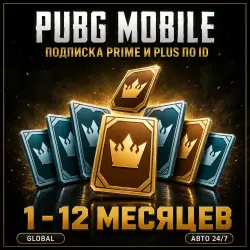
PUBG MOBILE | PRIME & PRIME PLUS 1-12 MONTHS | BY ID | AUTO 24/7
Important notice
Any third-party trademarks, brand names, and product names referenced on this website are used solely to identify the relevant goods/services and, where applicable, to indicate intended purpose or compatibility. No affiliation, authorization, sponsorship, or endorsement by the trademark owners is implied unless expressly stated.
About the product
PUBG Mobile — Prime and Prime Plus subscriptions activated on your account by Player ID. Pick the subscription and its term, and we activate it on the ID you provide.
🎁 What you can choose:
• Prime — 1, 3, 6 or 12 months
• Prime Plus — 1, 3, 6 or 12 months
Subscription perks and the daily and weekly rewards are granted inside the game. Their contents are set by the game itself and may change — check the current ones on the subscription screen in PUBG Mobile.
📋 How to order:
1. Choose the subscription and its term.
2. Enter your Player ID.
3. Pay with any available method.
4. Activation is automatic and usually takes 30–40 minutes.
🔎 Where to find your Player ID:
Open PUBG Mobile and go to your profile — the Player ID is shown under your character name and consists of digits only. It is not your nickname and not your account name: the numeric ID is what we need.
⚠️ Important:
❗ Daily and weekly subscription rewards must be claimed in the game. If you do not log in, the available claim count is still deducted — rewards for missed days are lost. This is the game's own rule.
❗ The subscription lasts for the term you paid for and does not renew automatically.
❗ Double-check your Player ID before paying — an activation sent to a wrong ID cannot be reversed.
🔁 Refunds: if activation fails on our side — 100% refund. After a successful activation a refund is not possible.
 Top up
 Games
Games Discounts 90%
 AI
AI Windows
 Subsctiptions
 New Games
 Mobile Games