
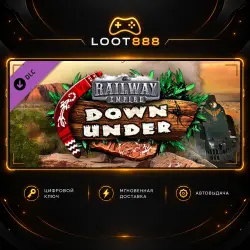
DLC RAILWAY EMPIRE - DOWN UNDER | STEAM | KEY | WORLDWIDE
Important notice
Any third-party trademarks, brand names, and product names referenced on this website are used solely to identify the relevant goods/services and, where applicable, to indicate intended purpose or compatibility. No affiliation, authorization, sponsorship, or endorsement by the trademark owners is implied unless expressly stated.
About the product
🟠 LOOT888 • digital products for Steam
🎮 TITLE
Railway Empire - Down Under
🌍 ACTIVATION REGION
✅ The key can be activated worldwide, including Russia.
✅ Region: WORLDWIDE + RU
⚠️ WARNING
⚠️ Warning! The base game is required to use this content.
🎮 ABOUT THE GAME
During the first half of the 19th Century, the colonial territories of Australia are sparsely populated and consist primarily of coastal cities and a few smaller farming settlements in the remote outback. However, a series of events is set to spark an industrial revolution, one that will usher in an era of change for Australia and secure a lucrative future. In the Railway Empire “Down Under” DLC, it is up to you to tame the unforgiving outback and expand your railway network across its wild terrain and beyond. Your railway will ultimately be the key to laying the foundations for flourishing cities and to connecting remote mining settlements to coastal metropolises. Are you ready to face the sun-scorched landscape of Australia’s Red Centre? Features New scenario: “Pioneering spirit” (1830-1930) Map expansion: “Down Under” (available in Free Game and Sandbox modes) 3 new historical engines: Heisler (0-8-0), C30 (4-6-0) and Class S (4-6-2) New tradeable goods (eg. seafood, Rail-O-Mite and canned beer) and 52 new cities to discover New music tracks, reworked city buildings and unique mission structures (eg. Sydney Harbour Bridge) New Settlement feature unique to the “Down Under” map: on pre-determined locations, players can now establish new cities and this way arrange the economic system to their liking
🔑 HOW TO ACTIVATE
1. Open Steam and sign in to your account.
2. Go to: Games → Activate a Product on Steam.
3. Enter the key you received.
4. Confirm activation and follow the Steam instructions.
⚠️ BEFORE PURCHASE
• Check that the activation region is suitable for your account.
• Make sure the game/edition matches the product you selected.
• After successful activation, the digital key is considered used.
💬 LOOT888 SUPPORT
If you have a question about the product or activation, contact us through the marketplace.
 Top up
 Games
 Discounts 90%
 AI
 Windows
 Subsctiptions
 New Games
 Mobile Games