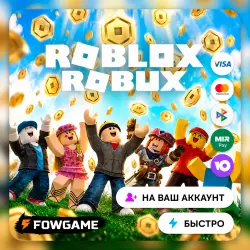
ROBUXES 30–50,000 | NO ACCOUNT LOGIN REQUIRED | All regions
Important notice
Any third-party trademarks, brand names, and product names referenced on this website are used solely to identify the relevant goods/services and, where applicable, to indicate intended purpose or compatibility. No affiliation, authorization, sponsorship, or endorsement by the trademark owners is implied unless expressly stated.
About the product
✅ You will receive a video tutorial immediately after placing your order.
✅ No account login required — we do not need your password, verification codes, or any other account details.
✅ Fully official method via Roblox Game Pass.
✅ Support at every step — if you have any questions, we will quickly assist you in the order chat.
🔵 Robux Delivery Process:
1️⃣ Select the desired amount of Robux and pay for your order.
2️⃣ Create a Game Pass in Roblox (instructions are provided in the order after purchase).
3️⃣ Send the Game Pass link in the order chat (please note the store's working hours).
📌 Instructions:
1️⃣ Go to: https://create.roblox.com/dashboard/creations
2️⃣ Open your experience.
3️⃣ Go to Monetization → Passes.
4️⃣ Click Create A Pass.
5️⃣ Enter any name and description (do not mention purchases or third-party websites).
6️⃣ Go to the Sales section and set the Game Pass price equal to the amount of Robux you purchased. The seller does not cover the Roblox fee.
Example: If you purchase 143 Robux, set the Game Pass price to 143 Robux. After Roblox's 30% fee, you will receive 100 Robux in your account.
7️⃣ Make sure to disable Regional Pricing.
8️⃣ Send your Roblox username and Pass ID in the order chat.
⚠️ Important Notes:
❗ Please note: the amount shown in the "You Will Receive Robux" field must take the Roblox fee into account. The 30% Roblox fee is paid by the customer.
💡 The seller does NOT cover the Roblox 30% fee.
💡 If you are unable to complete the Public 16+ verification, this product is not suitable for you.
💡 For security reasons, Robux will be credited to your account in approximately 5–6 days — this is Roblox's official processing period.
💡 Do not enable Regional Pricing — otherwise, you may receive fewer Robux.
💡 The Game Pass name must be neutral (no website links or suspicious words).
💡 To make your experience public after the update, open your Roblox account settings and go to the identity verification section. Complete the verification using the camera (this is required to confirm your age) or another available method. Then return to your experience settings and change its privacy to "Public".
⏱️ STORE HOURS: 10:00–22:00 MSK. Support replies only during store working hours.
❗ The service is provided exclusively during store working hours. Orders are usually processed within 5–30 minutes depending on the current queue, but no longer than 24 hours.
❗ If your order was placed outside of working hours, please wait until the store opens.
❗ REFUNDS: A partial refund with a 25% deduction from the order amount is available in the following cases:
• The product has not yet been delivered and the customer cancels the order;
• The customer is unable to complete the Public 16+ verification;
• The order cannot be completed due to issues related to the ROBLOX service or actions taken by the customer.
❗ In all other cases, refunds are not available.
✅ A quick example to help you calculate how much you pay and how much you receive:
• Pay 1143 Robux → Receive 800 Robux
• Pay 1286 Robux → Receive 900 Robux
• Pay 1429 Robux → Receive 1000 Robux
• Pay 1715 Robux → Receive 1200 Robux
• Pay 1857 Robux → Receive 1300 Robux
• Pay 2000 Robux → Receive 1400 Robux
• Pay 2143 Robux → Receive 1500 Robux
 Top up
 Games
Games Discounts 90%
 AI
AI Windows
 Subsctiptions
 New Games
 Mobile Games