
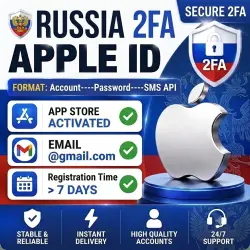
Russia 2FA Apple ID | App Store Activated | 7+ Days Old | iCloud Inactive
Important notice
Any third-party trademarks, brand names, and product names referenced on this website are used solely to identify the relevant goods/services and, where applicable, to indicate intended purpose or compatibility. No affiliation, authorization, sponsorship, or endorsement by the trademark owners is implied unless expressly stated.
Section I: Account Information
🌐 Region: US (United States)
✉️ Domain: Mixed Domains
🕒 Account Age: Aged 7+ Days
🆕 Status: Active & Ready to Download
☁️ iCloud: Inactive (Not Setup)
✅ App Store: Verified & Ready for Downloads
📦 Delivery Format: Account----Password----SMS API
🔄 Warranty: Free Replacement/Refund within 24 Hours for Anomalies
🌎 Region Change: Free Region Change Support
Please change the password after purchase. *Illegal use is strictly prohibited. *IM features are strictly prohibited.
Password Reset Link: [https://account.apple.com/](https://account.apple.com/)
Section II: Login Guide
After logging in, you will be prompted for a 2FA verification code. Open the provided SMS API link in your browser to retrieve the code and log in. Once logged in via the official Apple website, you can replace the phone number with your own.
Section III: Account Explanation (Device-Based 2FA)
1. How Device-Based 2FA Works
After creation, the account remains signed in on a dedicated virtual device. When you log in:
1. The virtual device receives your login prompt and automatically approves it.
2. The 2FA code is simultaneously sent to your SMS API link.
3. Simply open the API link in any browser, get the code, enter it, and you're in.
2. Key Features
No Security Questions: No security questions were set during creation; security relies solely on your password.
Phone Number Limit: A phone number is bound for initial setup only. It cannot receive SMS directly and holds no practical function for you.
3. Important Instructions (Must Read)
*Recommended steps after purchase (for personal use):*
1. Visit Apple’s official account management page: [https://account.apple.com/](https://account.apple.com/)
2. Change the bound phone number first to your own active mobile number.
3. Once the new phone number is successfully verified, proceed to change the password to avoid being locked out.
 Top up
 Games
Games Discounts 90%
 AI
AI Windows
 Subsctiptions
 New Games
 Mobile Games