
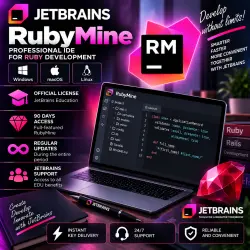
RubyMine JetBrains Key 90 days
Important notice
Any third-party trademarks, brand names, and product names referenced on this website are used solely to identify the relevant goods/services and, where applicable, to indicate intended purpose or compatibility. No affiliation, authorization, sponsorship, or endorsement by the trademark owners is implied unless expressly stated.
💎 JetBrains RubyMine — ACTIVATION KEY | 90 DAYS
━━━━━━━━━━━━━━━━━━
🔑 Product Type — Digital Activation Key
📅 License Term — 90 Days
💻 Windows / macOS / Linux
📱 Maximum — Up to 5 Devices
🎯 Key is intended ONLY for RubyMine
🛡️ Warranty — 1 Month
⏰ Delivery — 07:00–19:00 Moscow Time (MSK)
━━━━━━━━━━━━━━━━━━
📦 YOU RECEIVE
✅ JetBrains RubyMine activation key
✅ 90-day license period
✅ Activation on up to 5 devices
✅ Windows / macOS / Linux
✅ Activation instructions
✅ Seller support
✅ 1-month warranty
━━━━━━━━━━━━━━━━━━
🔥 RUBYMINE — IDE FOR RUBY & RUBY ON RAILS
🔹 Smart code completion
🔹 Code analysis and error detection
🔹 Refactoring tools
🔹 Fast project navigation
🔹 Ruby and Ruby on Rails support
🔹 Built-in debugger
🔹 Git and version control integration
🔹 Built-in terminal
🔹 Testing tools
🔹 Inspections and quick fixes
🔹 Convenient workflow for Ruby projects
━━━━━━━━━━━━━━━━━━
📩 HOW TO RECEIVE YOUR KEY
1️⃣ Purchase the product.
2️⃣ After payment, you will receive a 16-digit purchase code.
3️⃣ Open your order correspondence section on Oplata.info.
4️⃣ Send the 16-digit purchase code to the seller.
5️⃣ After verification, the seller will send your RubyMine activation key.
🔑 The key is provided as a LONG TEXT MESSAGE — copy the entire text exactly as received.
━━━━━━━━━━━━━━━━━━
🔐 HOW TO ACTIVATE
1️⃣ Download and install RubyMine.
2️⃣ Launch the application.
3️⃣ Open the license / activation section.
4️⃣ Select the appropriate code activation method.
5️⃣ Copy the entire text activation key.
6️⃣ Paste it into the activation field.
7️⃣ Complete the activation process.
⚠️ The key is intended ONLY for the RubyMine application.
━━━━━━━━━━━━━━━━━━
💻 UP TO 5 DEVICES
✅ The key can be used on a maximum of 5 devices.
⚠️ DO NOT exceed the 5-device limit.
📌 Windows / macOS / Linux.
━━━━━━━━━━━━━━━━━━
🌍 IMPORTANT FOR USERS IN RUSSIA
⚠️ Due to regional restrictions, standard access to certain JetBrains services may be limited.
🛠️ Users in Russia may need special software and appropriate connection configuration to download, install, activate or use RubyMine.
━━━━━━━━━━━━━━━━━━
🛡️ WARRANTY
✅ Warranty for the provided key — 1 month.
💬 If you experience an issue with the key during the warranty period, contact the seller through your order correspondence.
⚠️ Before activation, make sure your RubyMine version and operating system are compatible.
━━━━━━━━━━━━━━━━━━
⚠️ BEFORE PURCHASE
📌 Key validity — 90 days.
📌 Only for JetBrains RubyMine.
📌 Windows / macOS / Linux.
📌 Maximum — 5 devices.
📌 Warranty — 1 month.
📌 The key is provided as a long text message.
📌 After payment, send your 16-digit purchase code to the seller via Oplata.info.
📌 Special software may be required for users in Russia.
━━━━━━━━━━━━━━━━━━
⏰ PRODUCT DELIVERY
🕐 Daily — 07:00–19:00 Moscow Time (MSK)
🌙 If your order is placed outside these hours, please wait until the next order processing period.
━━━━━━━━━━━━━━━━━━
💎 JetBrains RubyMine
🔑 ACTIVATION KEY
📅 90 DAYS
💻 Windows / macOS / Linux
📱 UP TO 5 DEVICES
🛡️ 1-MONTH WARRANTY
⏰ 07:00–19:00 MSK
 Top up
 Games
Games Discounts 90%
 AI
AI Windows
 Subsctiptions
 New Games
 Mobile Games