
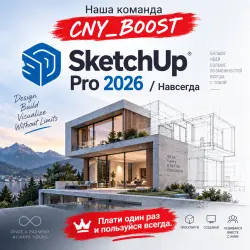
SketchUp Pro 2026 / Perpetual
Important notice
Any third-party trademarks, brand names, and product names referenced on this website are used solely to identify the relevant goods/services and, where applicable, to indicate intended purpose or compatibility. No affiliation, authorization, sponsorship, or endorsement by the trademark owners is implied unless expressly stated.
This is not the Key. It's a ready-made version.
Only supports Windows 11!!!
(AI features are not functional) No keys
🔸Generative Fill is not included
🔸Firefly Generative AI is not included
🔸Updates to the latest version are not included
Simple installation; the software is ready to use immediately.
SketchUp Pro 2026 — Professional 3D Modeling for Windows
SketchUp Pro 2026 is a powerful and user-friendly solution for creating professional 3D models, architectural designs, interiors, furniture, and various design concepts.
The software combines an intuitive interface with professional-grade modeling tools, allowing you to quickly create, edit, and visualize projects of any complexity.
💎 KEY ADVANTAGE:
Install it once — use it forever. No subscriptions!
💻 Unlimited: Can be activated on any number of your own devices.
Create, document, and present projects using a single master drawing.
Draw, modify, measure, rotate, scale, and move geometric shapes.
Arrange and annotate multiple scaled views on a single page.
Design buildings, furniture, interiors, construction structures, and much more in a matter of minutes.
Export 3D models to CAD and other 3D formats.
Export 2D vector images.
Simulate real-time shadows for any location on Earth. Creating multi-page documents and presentations.
Creating custom elements and annotations for presentations using 2D vector tools.
Generating rendering effects such as sketches and fog; labeling models with 3D text, emblems, and watermarks.
Matching existing models to background images.
Accessing professional support via email.
Using precise dimensions and labeling them with text.
Setting section planes to view and work inside models.
Applying pre-made textures—such as brick, wood, roof tiles, or glass—to models, or creating new textures.
Adding pre-made components—such as trees, cars, doors, windows, or people—or creating new components.
Smoothing surfaces.
Simulating camera positioning in space.
Performing organic modeling (using the Sandbox toolset).
Importing 2D images (.jpg, .png, .tif, .tga, .bmp) and 3D models (.3ds, .dem, .ddf, .dwg, .dxf, .skp).
Exporting 2D images of models in JPEG (.jpg), PNG, TIF, TGA, or BMP formats.
Placing SketchUp models into Google Earth using the "Place Model" command; exporting files directly to the Google Earth KMZ format.
Sharing models via the 3D Warehouse.
Printing the portion of a model currently displayed in the SketchUp drawing area.
Printing and exporting raster images at a chosen resolution.
Exporting animations and walkthroughs as MOV or AVI files. Export to 2D formats: PDF, EPS, Epix (.epx), AutoCAD (DWG, DXF)
Export 3D models to formats: 3DS, AutoCAD (DWG, DXF), FBX, OBJ, XSI, VRML
Using SketchUp, you can perform the following actions:
Draw, modify, measure, rotate, scale, and move geometric shapes.
Use precise dimensions and label them with text.
Set section planes to view and work inside models.
Apply pre-made textures—such as brick, wood, roof tiles, or glass—to your models, or create new ones.
Add pre-made components—such as trees, cars, doors, windows, or people—or create new components.
Smooth surfaces.
Simulate real-time shadows for any location on Earth.
Simulate camera positioning in space.
Create walkthroughs.
Develop presentations.
Perform organic modeling (using the Sandbox tools).
Import 2D images in the following formats:
JPEG (.jpg)
Portable Network Graphics (.png)
Tagged Image File (.tif)
Targa File (*.tga)
Windows Bitmap (.bmp)
Import the following 3D models and data:
SketchUp (.skp)
 Top up
 Games
 Discounts 90%
 AI
 Windows
 Subsctiptions
 New Games
 Mobile Games